
1. Why you need this tool
Owning an old 4GB GPU and wanting to run a 70B model — that's the real dilemma countless indie developers have lived with for the past two years. Llama 3.1 70B's full-precision weights on Hugging Face alone are 140GB, and traditional loading needs at least an A5000 with 24GB of VRAM. Plenty of people tinker locally for three days and end up staring at a CUDA out of memory error and giving up. AirLLM blows straight through that dead end: 70B fits in 4GB, 405B fits in 8GB, and DeepSeek-V3's 671B needs only 12GB. Those 30828 stars on GitHub are the votes of everyone that dead end has tortured.

2. Project overview: what it is in one sentence
AirLLM is a "single-GPU, low-VRAM LLM inference framework", and its core traits boil down to four keywords: layer-by-layer loading, zero quantization, AutoModel auto-adaptation, 3x compression speedup. Since its release in November 2023, the project has gone from v2.0's block compression to v3.0's FP8 support to running 2.8-trillion-parameter Kimi K3 in July 2026 — it's the open-source project that binds "low VRAM" and "big model" together most tightly on GitHub.
3. A deep dive into the core features
1. Layer-by-layer streaming: VRAM usage drops from "model size" to "layer size"
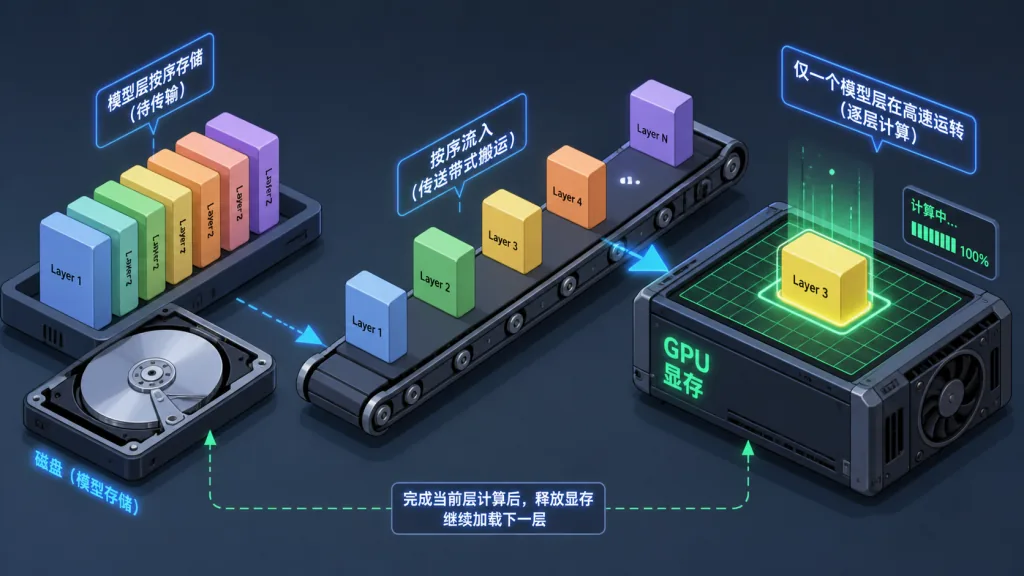
AirLLM's core idea is dead simple: the GPU holds only one layer of the model at a time, frees it once the math is done, and streams the next layer in from disk. Traditional model.to('cuda') moves the entire model into VRAM, while AirLLM rewrites the forward pass so each layer frees its slot the moment it finishes. VRAM usage is therefore determined by "one layer's weights + activations", independent of total model size — that's the fundamental reason a 70B model runs in 4GB.
2. AutoModel auto-routing: one interface for every mainstream model
Older versions made you pick different classes depending on model type — AirLLMLlama2, AirLLMQWen and so on. AutoModel, introduced in v2.6, ended that burden. Whether it's Llama 3.x, Qwen3, DeepSeek-V3, Mixtral, ChatGLM or Mistral, you call it through AutoModel.from_pretrained("repo_id") and the framework detects the architecture itself. Under the hood it's a registry pattern plus config-file sniffing, close to the design philosophy of Transformers.
3. Block-wise weight quantization: 3x speedup
v2.0 introduced bitsandbytes-based 4bit/8bit block quantization that compresses weights only, never activations. The reason: AirLLM's bottleneck is disk I/O, not compute, so making weights smaller and loading them faster is enough to take off. Official tests show 4bit compression yields roughly a 3x inference speedup, with quality loss that's practically imperceptible.
4. Prefetching: overlapping I/O with compute
v2.5 added prefetching: while the GPU computes the current layer, the CPU asynchronously reads the next layer's weights, turning a serial "load → compute" loop into a partially overlapped pipeline. Per the official notes, this change brings about a 10% speedup.
5. Sparse MoE single-expert streaming: what makes trillion-scale models possible
For MoE models like Mixtral, Qwen3-MoE and DeepSeek-V3, AirLLM goes one level finer: it loads into VRAM only the experts the current token routes to. Kimi K3 (2.8T parameters) running in 3.72GB of VRAM comes from exactly this — experts stream in on demand, which in theory supports MoE models of unlimited size.
4. Technical highlights and performance numbers
Core performance numbers (source: official README table):
| Model | Parameter scale | VRAM usage |
|---|---|---|
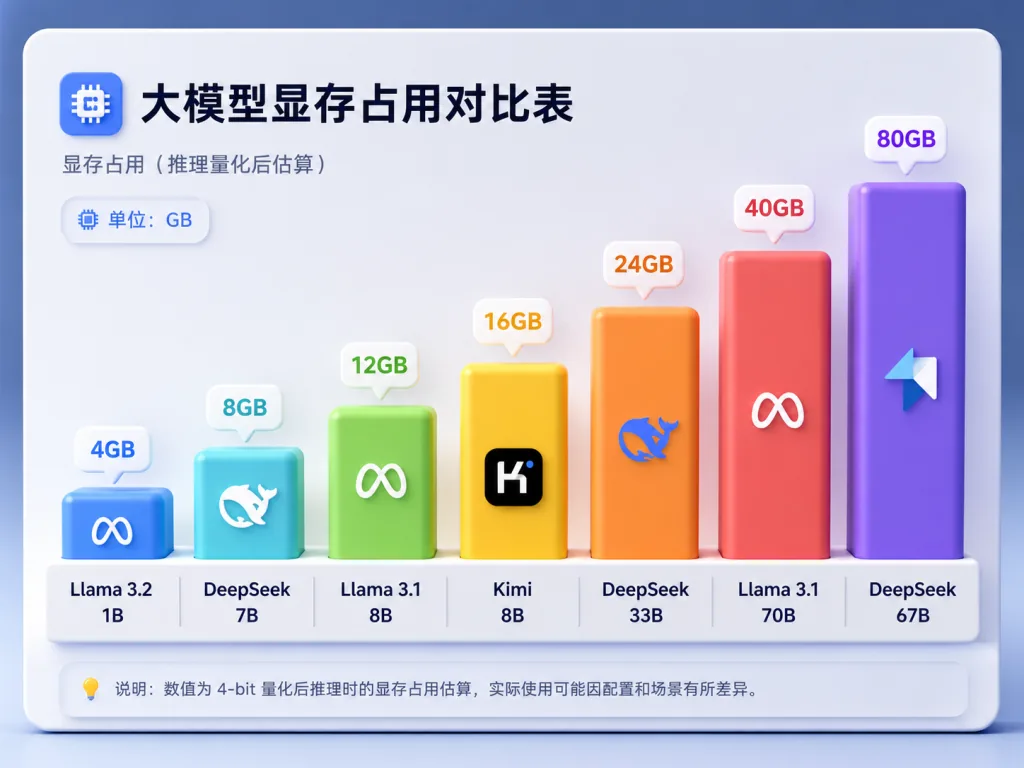
| Qwen3 / Mistral / Phi (8B) | 8B | 1–2 GB |
| Qwen3-30B / Mixtral MoE | 30–47B | 1–3 GB |
| Qwen3-235B MoE | 235B | ~3 GB |
| Llama 3.x 70B full precision | 70B | ~4 GB |
| Llama 3.1 405B | 405B | ~8 GB |
| DeepSeek-V3 | 671B | ~12 GB |
| Kimi K3 MoE | 2.8T | 3.72 GB |
Architectural highlights: pure PyTorch, no custom CUDA kernels to compile; safetensors sharding underneath; macOS support for Apple Silicon via mlx; v3.0 reads FP8 weights directly. On ecosystem compatibility it already covers Llama 2/3/3.1/3.3/4, the whole Qwen line, DeepSeek V2/V3/R1, Phi-4, Gemma and nearly every other mainstream open-source LLM.
5. Where it fits, and who it's for
Indie developers debugging locally: you only have a gaming laptop (an RTX 3060 6GB, say) and want to run a 70B model locally for prompt engineering or RAG validation. AirLLM is the only workable option right now.
Low-budget academic experiments: students or independent researchers with limited funding who can't rent an A100/H100 cluster can reproduce 70B–405B baselines on a single card with AirLLM.
Edge deployment and prototype validation: quickly validate the feasibility of a large model on low-VRAM devices like a Jetson or a MacBook M2/M3, then decide whether to buy high-end hardware.
Where it doesn't fit: high-concurrency online services sensitive to inference latency (layer-by-layer streaming I/O becomes the bottleneck), and training or fine-tuning scenarios that need the whole model resident in VRAM at once.
6. Comparison with alternatives
| Approach | 70B VRAM requirement | Quantization | Speed penalty | Scale it fits |
|---|---|---|---|---|
| AirLLM | ~4 GB | None | Slightly slower than full VRAM | 8B–2.8T |
| GPTQ/AWQ 4bit quantization | ~20 GB | Yes | Close to native speed | 7B–70B |
| llama.cpp (GGUF) | ~24 GB (Q4) | Yes | Close to native speed | 7B–70B |
| vLLM / TGI | ~140 GB+ | None | Fastest | Multi-GPU single machine |
| Device offload (HuggingFace device_map) | ~12 GB | None | Slower | 7B–13B |
AirLLM's core advantage: it pushes VRAM usage to the limit without quantization, pruning or distillation. The downside: disk reads and writes become the bottleneck, so it's slower than full-VRAM approaches. The reason to choose it is simple — when you don't have much VRAM and refuse to lose model precision, it's the only option available.
7. How to get started fast
Install:
pip install airllm
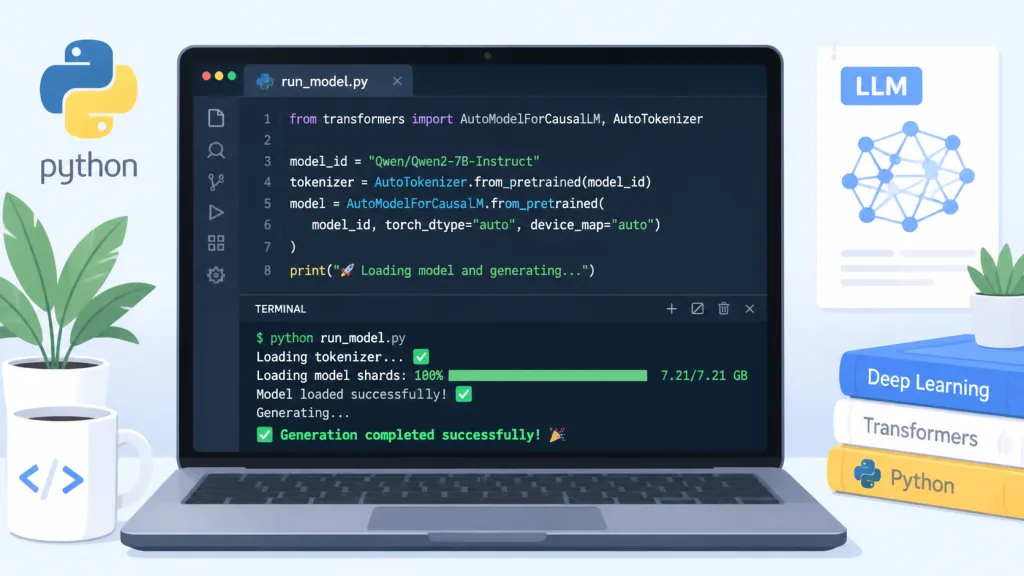
Minimal working example (Qwen3-32B here):
from airllm import AutoModel

model = AutoModel.from_pretrained("Qwen/Qwen3-32B")

input_tokens = model.tokenizer(["What is the capital of United States?"],
    return_tensors="pt", return_attention_mask=False, truncation=True, max_length=128, padding=False)

generation_output = model.generate(input_tokens['input_ids'].cuda(), max_new_tokens=20, use_cache=True, return_dict_in_generate=True)

print(model.tokenizer.decode(generation_output.sequences[0]))
Advanced tips:
- Want to run something bigger? Add
compression='4bit'for roughly a 3x speedup and lower VRAM usage at the same time. - Short on disk? Set
delete_original=Trueto delete the original HF model automatically and keep only the sharded version. - The first run splits and caches the model layer by layer, so reserve enough disk space (2x the model size is recommended).
- Want to run on Apple Silicon? Install
mlxand it works directly, no extra configuration.
8. Summary and what to do next
With the engineering tricks of layer-by-layer streaming plus MoE single-expert streaming, AirLLM redefines the hardware bar for LLM inference. It isn't the fastest option, but it's certainly the most accessible one — 70B in 4GB, 2.8T in 4GB, so a GPU is no longer the ticket to play with big models.
Project: https://github.com/lyogavin/airllm
One-line pitch: can't afford an A100 and still want to run 70B? AirLLM is big-model freedom for the rest of us.