Candidate titles (pick 1 of 3)
Eight revisions in and still one short? Feed the sketch straight into your AI coding tool with M3E Canvas
Five minutes to a clickable prototype — M3E Canvas exports Claude Code prompts in one click
Not a line of backend code: how M3E Canvas assembles a linked-up app prototype in five minutes
Five minutes of sketching, and AI builds the app for you: the secret behind M3E Canvas's 9,000+ stars
1. Opening: what's missing between designers and developers isn't a sentence, it's a diagram you can poke at
A product manager writes "build a recipe app with 4 tabs at the bottom" into a doc. By the time that sentence reaches a developer it has usually drifted. The designer opens Figma and lays everything out carefully, then loses half a day to annotation and handoff. By the time v1 finally runs, the colors are off, the transitions are stiff, the components are misaligned — and here comes another round. The Vibe Coding era promises that "one sentence gets you an app," but when you throw "make a decent chat interface" at an AI tool, what comes back usually has fields scattered at random and spacing chosen by vibes. Is the only thing missing really a better prompt? No — what's missing is a design spec with dimensions, transitions and theming that a machine can draw from directly. M3E Canvas squeezes that step into the browser.

2. Project positioning: a Material 3 Expressive design canvas in the browser, with an AI prompt exit built in
M3E Canvas is a Material 3 Expressive interface assembly tool that runs entirely in the browser. It's built by lnkiai with TypeScript + Next.js 16 + React 19, has 9,023 stars on GitHub, and once topped Trendshift's daily chart. Its positioning comes down to four keywords: visual assembly, native M3 spec, previewable navigation interactions, one-click AI prompt export. No backend, no account, designs saved to localStorage — open the page and start working.
3. Core features in depth
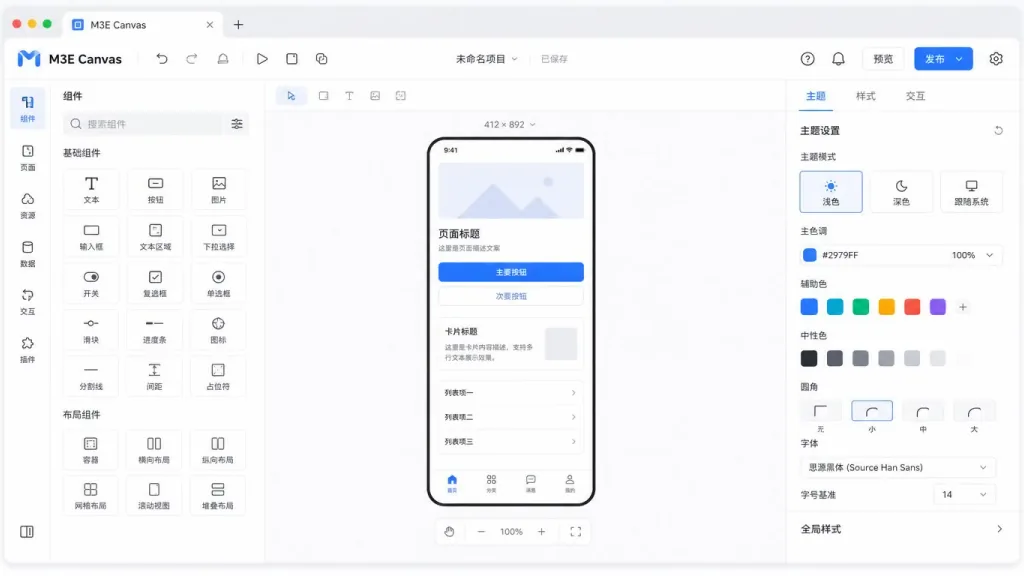
1. A full Material 3 Expressive component set — drag it out and it's already spec-compliant
M3E Canvas ships buttons, icon buttons, FABs, split buttons, FAB menus, chips, app bars, navigation bars, floating toolbars, tabs, search bars, cards, lists, dialogs, snackbars, text fields, dropdown menus, switches, checkboxes, radio buttons, sliders, text, images, camera and map placeholders, badges, container boxes and dividers — every one drawn to the Material 3 Expressive spec. That means the FAB you drop on the canvas already carries its elevation shadow and shape semantics; cards already carry M3 corner radii and state layers. Designers no longer have to walk a spec document item by item to tune styles.
2. Magnetic snapping: giving low-fidelity its "patched together" feel back
Drag two buttons or list items close and they snap together into a group automatically, with the corner radii at the seam morphing smoothly so it reads like a continuous component in a real app. Paired with the one-click "tidy" function — bars flush to the edges, FAB into the corner, adjacent items merged, the rest restacked at 16dp margins — and a second click to undo. Details like these make a sketch stop looking like a sketch and start looking like a wireframe you can hand off.
3. Real device size preview + navigation interactions, WYSIWYG
Any screen flips between 412×892 phone and 1280×800 desktop, and the navigation bar becomes a sidebar while components reflow. Point any clickable component at a target screen (or "back") plus a transition (slide in any of four directions / fade / zoom / none), and an arrow appears on the canvas. Preview mode lets you click right through it: screens follow your finger, and pressing back plays the transition in reverse. Screens sharing a name are described in the prompt as "two widths of the same screen," so one design covers phone and desktop at once.
4. Four theming axes + multilingual prompt output, wired for Claude Code / Codex / Cursor
One panel covers the four dimensions of M3 Expressive: color (7 presets, or a full scheme derived from one baseline color — light/dark, three contrast levels, dynamic color), shape (round every component's corners with one switch), type (Roboto / Roboto Flex / Roboto Serif / system font, emphasis styles), and motion (standard or expressive spring). When you're done, the whole design — one screen or all of them — generates natural-language prompts in Japanese / English / Chinese / Korean, targeting Android or Web. Paste the prompt into Claude Code, Codex, Gemini CLI or Cursor and the AI writes an implementation that follows the spec; exporting PNGs or a share link is one click too.

4. Technical highlights and performance data
On the stack side, M3E Canvas is a static export of Next.js 16 + React 19, deployed on GitHub Pages, so its first-paint latency is that of plain static assets. Three architectural highlights. First, there is no backend at all: users supply their own API key and connect directly to OpenAI, Claude, Gemini or DeepSeek with no server in between, which keeps privacy controllable. Second, persistence runs on localStorage, so a refresh or a dropped connection never loses your work. Third, it works on a phone: small screens switch to a single-screen editor with dedicated buttons, editing text and icon styles in a bottom panel, while PC gets the full multi-screen editor — one project, both ends. The supporting features are just as complete: alignment guides, undo/redo, keyboard shortcuts (V/H to switch tools, Ctrl+Z to undo, arrow keys to nudge in 8dp steps, P for preview), favorite components, and loading animations ported straight from material-components-android so the look matches native.

5. Where it fits, and who it's for
Three kinds of people: frontend and full-stack developers who need to feed AI coding tools a clearly structured sketch instead of a vague description; product managers and designers who want to assemble a real, clickable, swipeable low-fidelity in the browser before syncing with developers — and walk away with the prompt; and indie developers and makers who want to validate an app concept fast without opening Figma. It also works well for live demos in team reviews. It is not the right fit for pixel-level brand customization or large projects that need strict alignment with a formal design system.
6. Comparison with alternatives
| Tool | Type | M3 Expressive compliance | Multi-screen navigation preview | Direct AI prompt output | Backend-free |
|---|---|---|---|---|---|
| M3E Canvas | Browser canvas | Native | Built in | Yes (EN/JA/ZH/KO) | ✅ |
| Figma | General design tool | Via plugins | Needs ProtoPie etc. | No direct exit | ❌ |
| v0.dev / Bolt | AI code generation | Web only | No | Reverse direction (text→UI) | ❌ |
| Excalidraw | Sketching tool | No | No | No | ✅ |
M3E Canvas stands apart by merging an M3-compliant canvas with prompt output, cutting out the "second translation" step between prototype and AI-generated code.
7. Getting started fast
Three steps and you're running.
- Open the online version: go to https://lnkiai.github.io/m3e-canvas/. No login needed.
- Assemble the UI + wire up navigation: drag components, connect screens, point key buttons at targets, set transitions, then hit P to verify in preview.
- Export the prompt and feed it to AI: switch language and target platform in the top-right (Android by default / Web), copy the prompt, paste it into Claude Code / Codex / Cursor with one line: "implement this following the prompt."
To develop locally:
git clone https://github.com/lnkiai/m3e-canvas
cd m3e-canvas
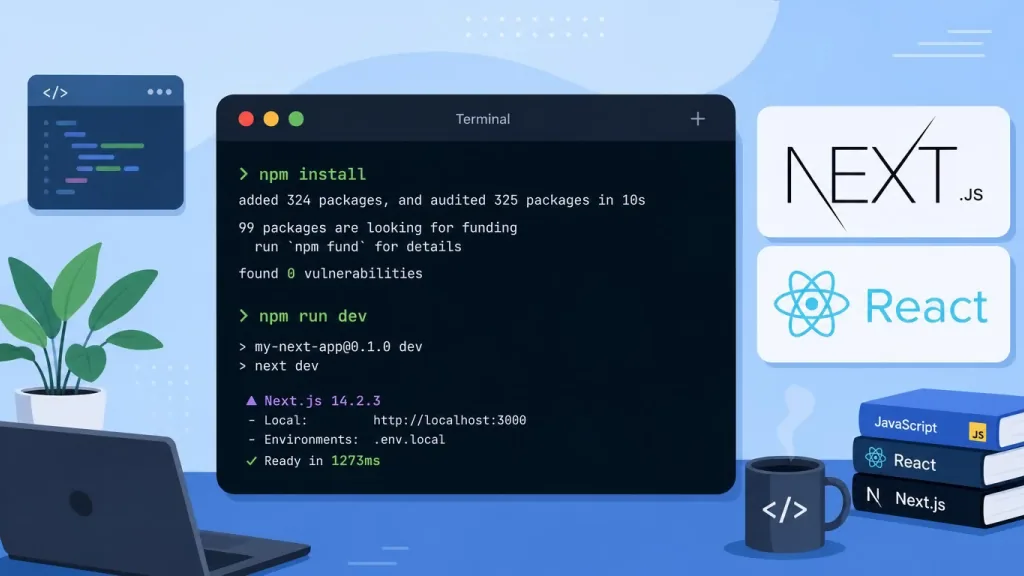
npm install
npm run dev   # http://localhost:3000
If you deploy to a GitHub Pages project site, set the environment variable NEXT_PUBLIC_BASE_PATH=/repo-name at build time; the repo already ships CI that publishes to out/.
8. Takeaways and what to do next
M3E Canvas compresses "sketching" and "writing prompts" into a single step: drag components, theme them, wire navigation, hit preview, copy the prompt, throw it into any prompt-capable AI coding tool and get to work. Its core value is a spec-carrying bridge between you and the AI — no more AI guessing what you meant, no more rounds of nudging spacing into alignment. 9K+ stars, MIT license, a four-language community, free to try.
Do this now: open https://lnkiai.github.io/m3e-canvas/, assemble the page you build most often, drop the generated prompt into your usual AI tool, and within 10 minutes compare it against what pure text description used to give you. Repo and docs: https://github.com/lnkiai/m3e-canvas.

#m3e-canvas #M3eCanvas #lnkiai #OpenSource #GitHub