1. Introduction: why you need this tool
Engineers building RAG know the drill: the documents the business side throws at you are always a mixed grab bag — one Word report, one legacy .doc, a few PPTs, a couple of scanned PDFs, and the occasional .rtf or .epub. The traditional approach is to call a different parser per format: mammoth for Word, pdfplumber for PDF, python-pptx for PPT… and the output comes back in a dozen different shapes — misaligned tables, lists that lose their numbering, code blocks with no language tag — so you hand-clean everything before it reaches the LLM.
Performance is the bigger headache. Subprocess-based tools like LibreOffice take a second or more per document; drop that into a pipeline processing 100,000 documents and the time cost multiplies by 100,000.
anydoc exists to end that chaos: one Rust implementation, one unified output, millisecond latency — every office document goes through the same LLM-ready pipeline.

2. Project overview: what it is in one sentence
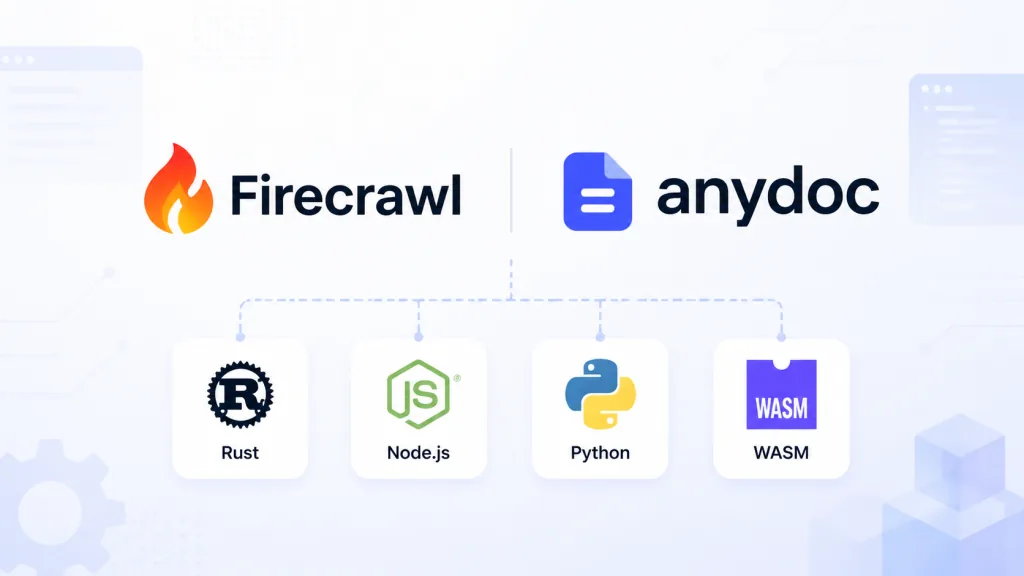
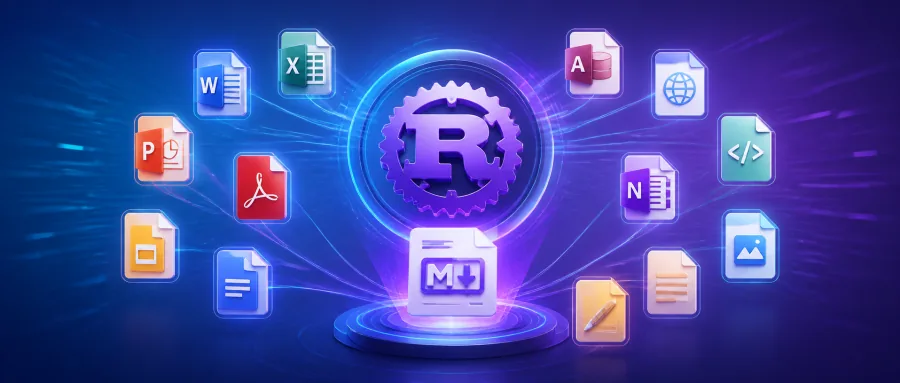
anydoc is Firecrawl's open-source Rust document conversion library. It converts 14 formats — Word, PowerPoint, Excel, OpenDocument, RTF, EPUB, CSV, PDF and more — into GitHub-Flavored Markdown (GFM). It ships Node.js, Python, browser (WebAssembly) and native Rust bindings, has 14.8K stars on GitHub, and is the engine underneath Firecrawl's Parse service.
Four keywords cover the core features: unified output (every format shares one document model), full-stack bindings (Rust/Node/Python/WASM), millisecond speed (4.4ms median), agent-native (published as an Agent Skill that Claude Code, Cursor, Codex and friends can call directly).
3. Core features in depth
1. One document model, one serializer
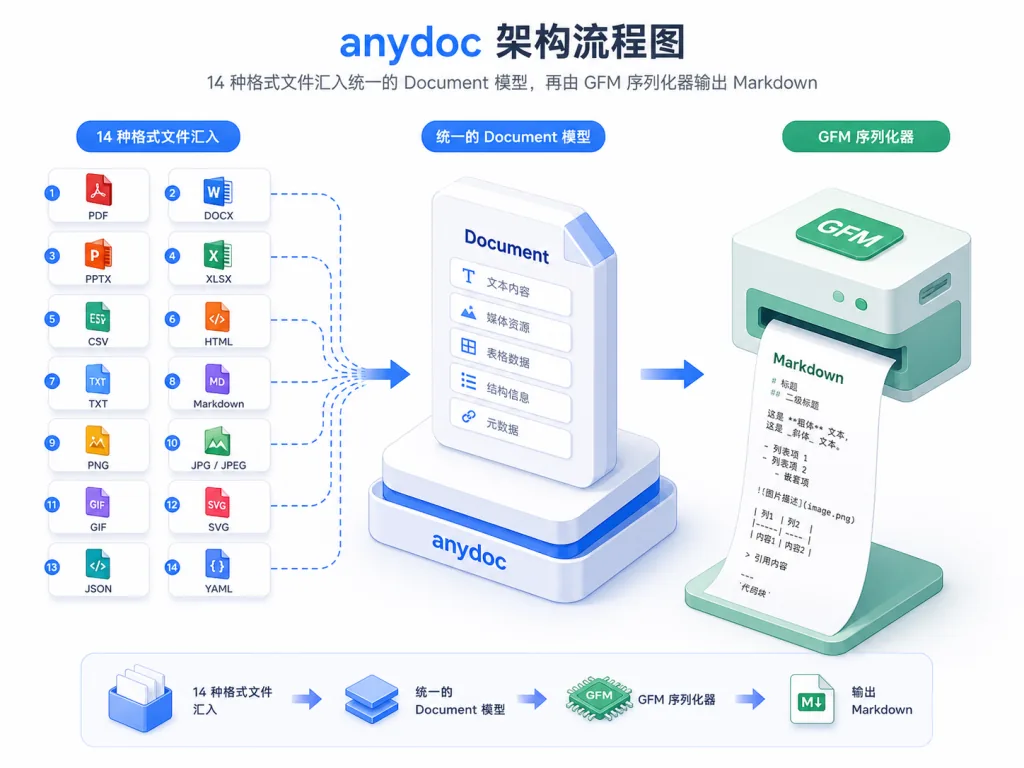
anydoc's edge isn't that it parses some single format better — it's the "single output". Every format parses on its own, but all of them converge on the same Document model (blocks, inlines, tables, footnotes, assets), which one GFM serializer renders. That means table escaping, heading anchors, code block language tags and inline code get fixed once for .docx and are reused automatically for RTF, ODT, EPUB and everything else — something tools that treat each format in isolation simply cannot do.
2. Format detection by content, not extension
An RTF file named .pdf is still detected as RTF. anydoc reads the markers straight out of the bytes: PDF headers, RTF group-open tokens, OLE stream names, the ZIP mimetype and content types. CSV has no signature, so it falls back to extension or an explicit declaration. The logic lives in three functions — Format::from_bytes, Format::from_extension, Format::from_path — and the three language APIs line up exactly.
3. Full structural fidelity
The output isn't "plain text plus tables"; it's Markdown that carries structure: anchored headings, bold/italic/strikethrough, inline code and fenced blocks, links and internal cross-references, ordered/unordered/nested/task lists that preserve the source numbering, merged cells and header detection, blockquotes, footnotes and endnotes, PPT speaker notes. Images are represented by alt-text placeholders, with the raw bytes attached to the Document model and tagged by media type; remote URLs render as standard Markdown images.
4. Built-in PDF support
Text-based PDFs need no OCR service — they convert to Markdown locally through the sibling pdf-inspector library. Only scanned PDFs raise an Unsupported error, which Firecrawl's hosted Parse API can pick up from there.
5. Agent Skill in one command
npx skills add firecrawl/anydoc drops the conversion capability into any compatible agent. Claude Code, Cursor, OpenCode and Codex can all "read" office documents directly — an ability comparable tools generally lack.
4. Technical highlights and benchmarks
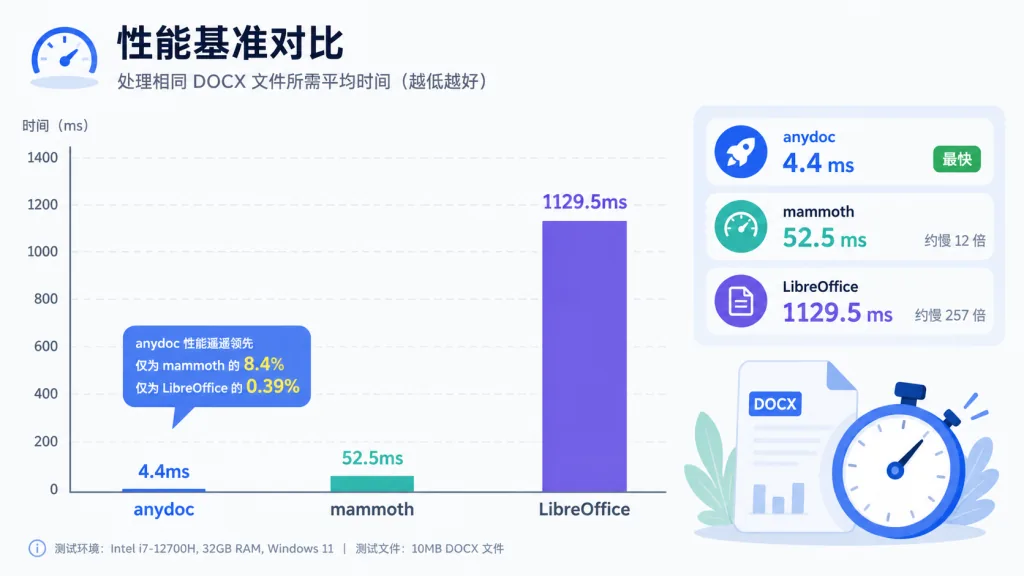
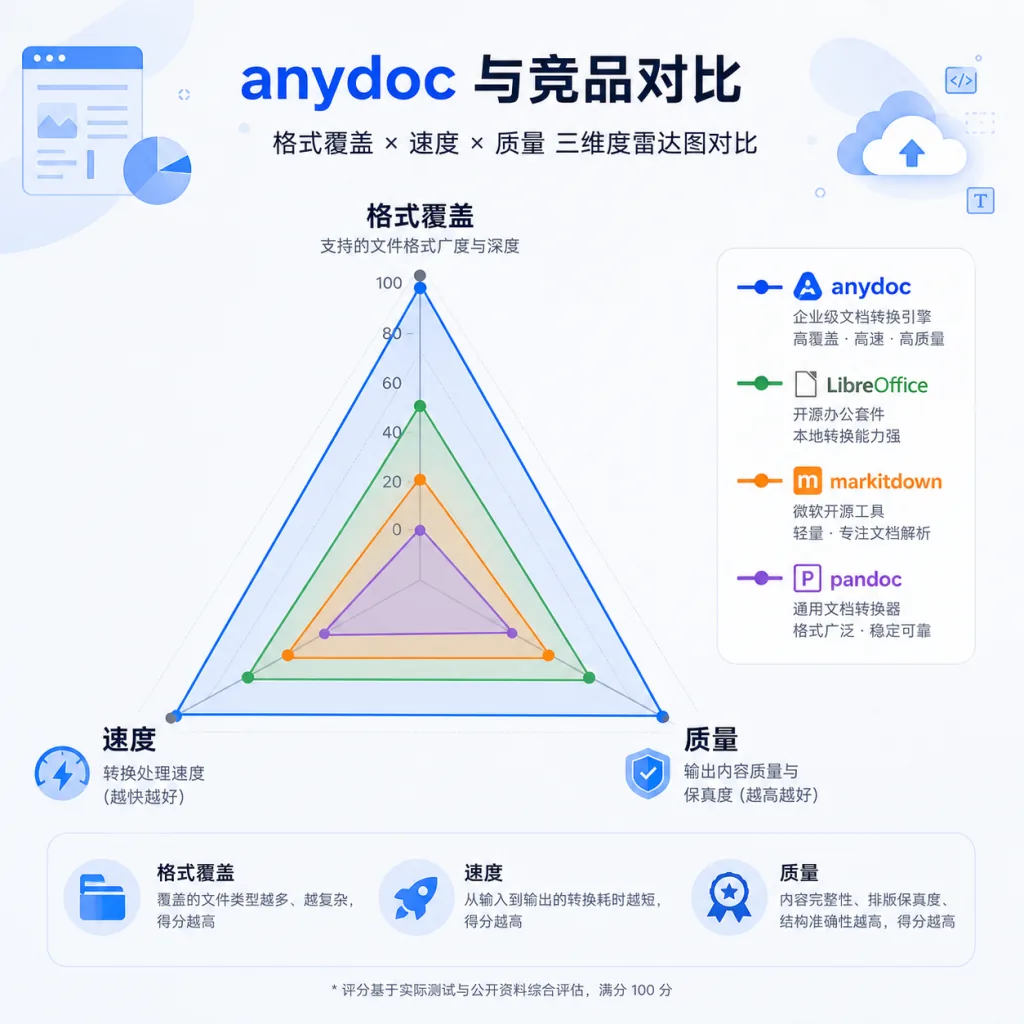
The numbers say it best: across a benchmark of 100 real documents in 14 formats, anydoc's median is 4.4ms — an order of magnitude faster than runner-up mammoth at 52.5ms, and nearly 260× faster than LibreOffice at 1129.5ms.
Quality leads too: an overall score of 81 out of 100, covering 14/14 formats — the next widest, LibreOffice, manages 12, while markitdown covers 6 and mammoth just 1. In a blind LLM review (Claude Sonnet 5 against ground-truth images, 482 judgments), anydoc ranks first on all four dimensions: completeness 87, structure 79, formatting 78, cleanliness 81.
Architecture highlights: pure Rust, no ML models, a single binary with zero external dependencies; Node.js conversions run on the libuv thread pool without blocking the event loop; Python conversions release the GIL, so multithreaded use works; TypeScript types and Python stubs ship with the package, ready out of the box; testing spans three layers — fixture snapshot tests, mutation tests and cargo-fuzz.
5. Use cases and audience
Use case 1: RAG and knowledge base construction. Normalize heterogeneous customer uploads into GFM for your vector store — no more per-format cleaning scripts.
Use case 2: AI agents and coding assistants. Let agents like Claude Code and Cursor read Word/PPT/Excel directly; one line in the tool description ("convert with anydoc") is enough.
Use case 3: privacy-preserving conversion in the browser. The WebAssembly build runs entirely in the browser with no file upload — essential for data-sensitive work in healthcare, legal and government.
Use case 4: batch ETL pipelines. 100,000 documents at millisecond latency per item finish in minutes, saving 99% of the time LibreOffice would burn.
Who it's for: RAG engineers, developers building agent tooling, teams doing document automation. Who it's not for: pure scanned-PDF OCR workflows (use Firecrawl's hosted Parse API); users who need the original layout rather than Markdown.
6. Competitive comparison
| Tool | Formats covered | Median time | Overall score | Notes |
|---|---|---|---|---|
| anydoc | 14/14 | 4.4ms | 81 | Covers every format, unified output, millisecond speed |
| LibreOffice | 12/14 | 1129.5ms | 40 | The veteran: wide coverage but slow and messy |
| markitdown | 6/14 | 134.8ms | 65 | From Microsoft, familiar ecosystem but narrow format support |
| pandoc | 5/14 | 102.1ms | 56 | The academic standard, no xlsx/pptx |
| docling | 4/14 | 513.6ms | 57 | From IBM, extremely narrow coverage |
| mammoth | 1/14 | 52.5ms | 70 | docx only, but good document quality |
| unstructured | 8/14 | 572.9ms | 63 | Mature Python ecosystem, slow and incomplete |
In the per-format breakdown anydoc ranks first across all 14 formats, usually by a landslide — for ODP it scores 86 against LibreOffice's 23.
7. Getting started
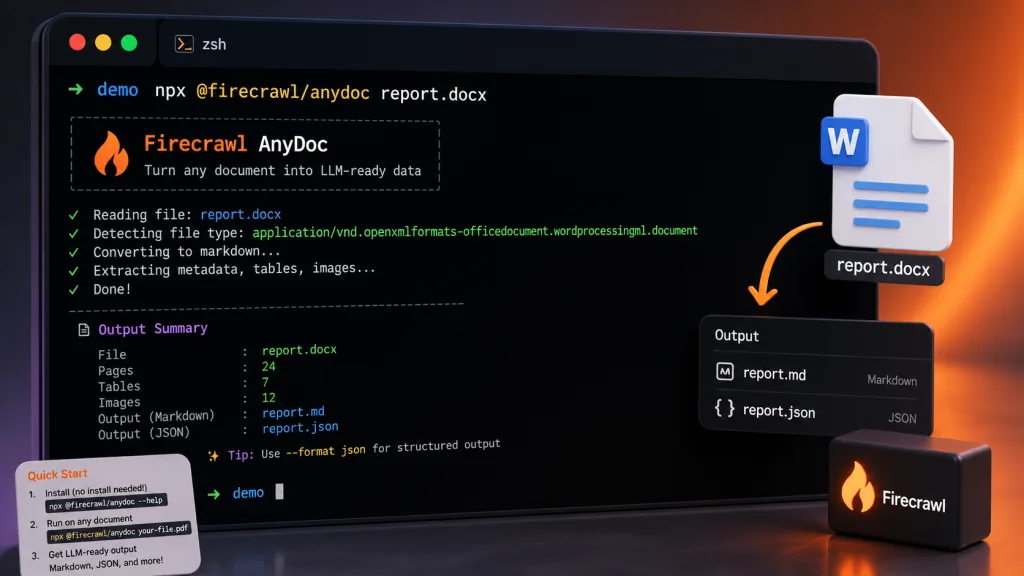
CLI (the fastest path)
npx @firecrawl/anydoc report.docx                  # output to stdout
npx @firecrawl/anydoc slides.pptx -o slides.md     # output to a file
npx @firecrawl/anydoc - --format csv < data.csv    # read from stdin
Node.js
npm install @firecrawl/anydoc
import { toMarkdown, toMarkdownBytes } from '@firecrawl/anydoc';
const md = await toMarkdown('report.docx');
const fromBytes = await toMarkdownBytes(bytes);         // auto-detects the format
const fromCsv = await toMarkdownBytes(bytes, 'csv');    // signature-less formats need an explicit hint
Python
pip install firecrawl-anydoc
import anydoc
markdown = anydoc.to_markdown("report.docx")
markdown = anydoc.to_markdown_bytes(data, "csv")  # declare CSV explicitly
Browser (WASM)
npm install @firecrawl/anydoc-wasm
import init, { toMarkdownBytes } from '@firecrawl/anydoc-wasm';
await init();
const md = toMarkdownBytes(bytes);
Agent Skill
npx skills add firecrawl/anydoc
Advanced tips: for batch jobs, use to_document to get the full document model (including raw asset bytes) and write images to disk as needed. Files that fail come back tagged Encrypted or Unsupported — put them in a retry queue and hand them to Firecrawl Parse OCR.
8. Summary and next steps
anydoc solves the old, stubborn problems on the "office document → LLM-ready Markdown" pipeline — format compatibility, output consistency, performance bottlenecks — with one Rust codebase, a unified output and millisecond latency. It is currently the only tool that covers 14 mainstream formats at a quality score of 81 and a speed of 4.4ms, and it natively supports Node/Python/WASM/Rust plus an Agent Skill workflow.
Recommendations: try the CLI first with npx @firecrawl/anydoc your.doc to see the output; for production integration prefer the Node.js or Python bindings (skipping LibreOffice's startup cost); use WASM for pure frontend or privacy-sensitive work; add Firecrawl's hosted Parse API when you need OCR on scans.
- GitHub: https://github.com/firecrawl/anydoc
- Live demo: https://firecrawl.github.io/anydoc/
- Docs: https://firecrawl.dev/parse
One-line verdict: anydoc is the most complete, fastest and highest-quality open-source document-to-Markdown tool available today — anyone doing RAG or agents should have it in their toolkit.