Title options (pick 1 of 3)
Still burning cash on cloud OCR? This iPhone app kills every API call fee
Zero deployment friction: an old iPhone runs the Vision framework and matches cloud vendors on local OCR
Not a single line of OCR code: I built a private recognition service from a spare phone
Turning an old iPhone into an OCR server: this 2K-star project pulls it off
1. Why you need this tool
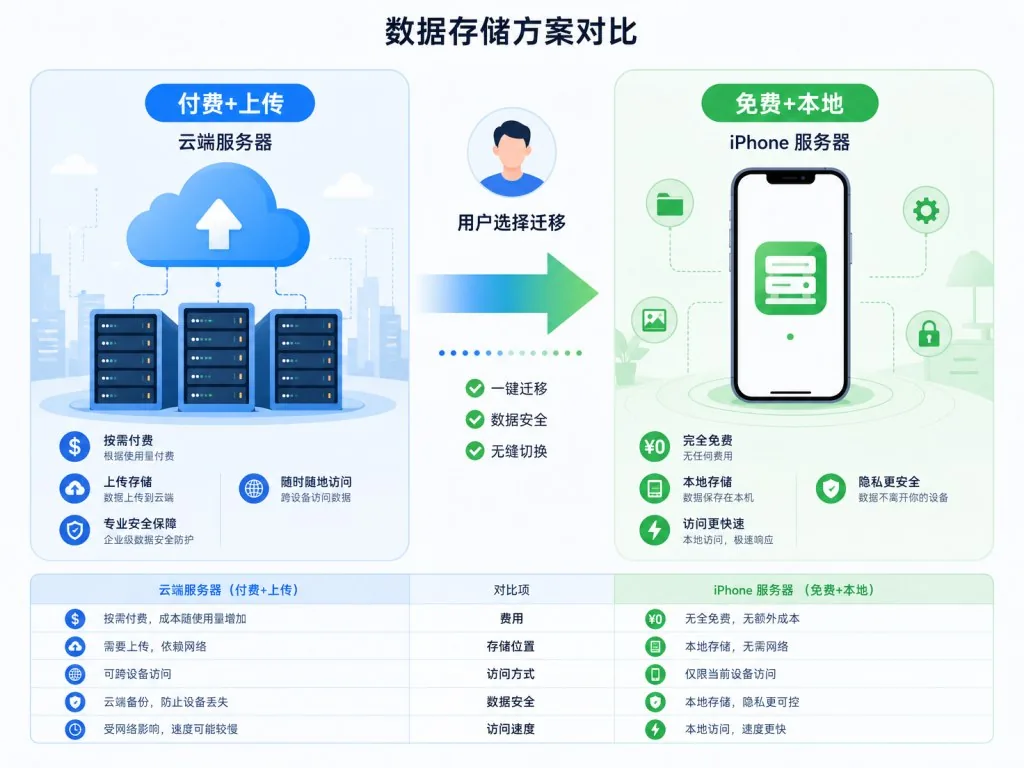
You're batching through scanned documents and need the text out of hundreds of images for downstream processing. You're on Baidu OCR, Alibaba Cloud OCR, Tencent Cloud OCR — every single call burns money. And what worries you more: the moment a business license, an ID card or a contract screenshot goes to a third-party server, that sensitive data is completely out of your hands.
In that situation most people see only two options: keep paying for cloud OCR, or fall back to self-hosting PaddleOCR / Tesseract. The first burns money and leaks data. The second either depends on a Python environment or forces you through Docker and model weights — a deployment flow that scares off most people.
A GitHub project called iOS-OCR-Server offers a third answer: turn an idle iPhone into a local OCR server that works the moment it boots, needs no cloud, and stays fully offline. It has already collected 2089 stars on GitHub, the main repo is written in Swift, and underneath it calls Apple's native Vision framework.
2. Project overview: what it is in one sentence
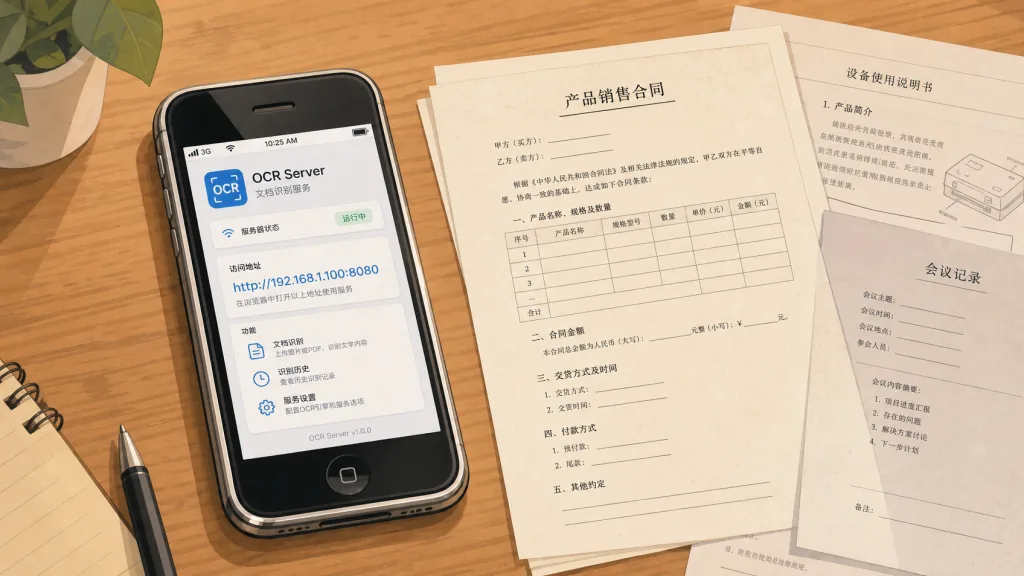
iOS-OCR-Server is an iOS app on the App Store. Once installed on an iPhone it automatically starts an HTTP server and turns the phone into an OCR node on your local network. Four keywords: Vision framework, fully local, JSON API, zero cloud dependency. At the time of writing it installs straight from the App Store (ID: 6749533041) and ships with interfaces in six languages — English, Japanese, Simplified Chinese, Traditional Chinese, Korean and French.
3. A deep dive into the core features
1. High-accuracy recognition on top of the Vision framework
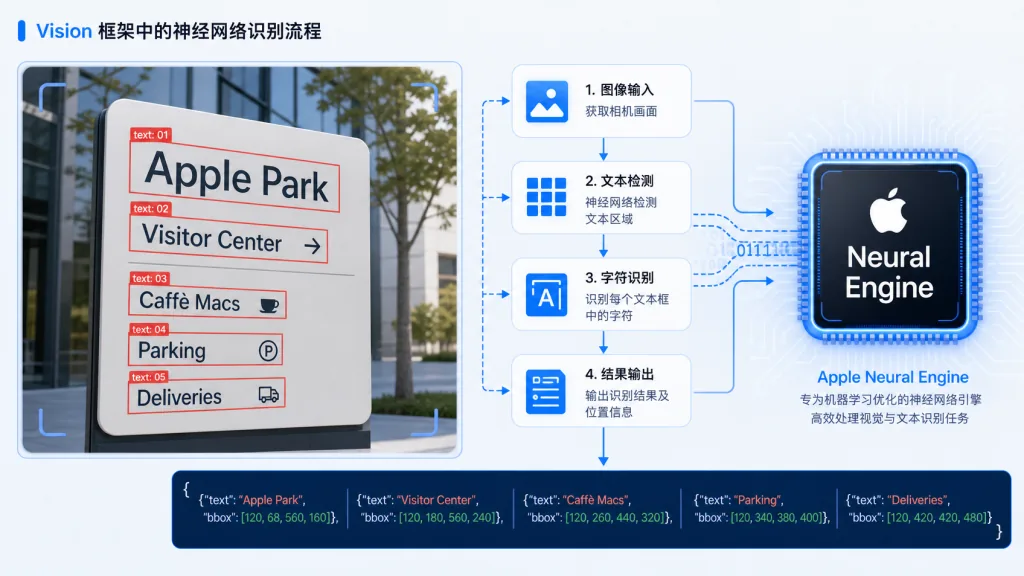
The project calls Apple's system-level Vision Framework for text recognition directly instead of pulling in a third-party OCR model. Vision has been iterated on iOS for years, its accuracy on printed text is extremely high, and it runs entirely on the phone's local NPU/GPU — no network, no token. Besides the ocr_result text, the response also returns an ocr_boxes field with the coordinates, width/height and four corner vertices (rect) of every text box, which makes layout reconstruction or visual annotation straightforward later on.
2. Dual API design: upload and docOCR
The project exposes two HTTP endpoints. /upload does line-level or word-level recognition and suits ordinary screenshots and scans; /docOCR is an iOS 26+ only endpoint that, with "Document Paragraph Detection" enabled, returns whole paragraphs instead of single words — a better fit for structured extraction from long documents. Both return standard JSON, and a developer can wire them up with a few lines of requests.
3. Test directly in the Web UI
You don't have to write code to use it. Open the app, note the IP it shows, hit that address in any browser on the same LAN, and you get an upload page — drop an image in and recognition comes back in about a second. That "works out of the box" design is friendly to non-developers too.
4. Multi-device clustering
The official README explicitly lists "Build an OCR processing cluster using multiple iPhones" as a use case. Run this app on several idle iPhones, add load balancing on the business side, and you have a fully private OCR cluster with zero operating cost — very practical for small and mid-sized companies or independent developers.
4. Technical highlights and performance numbers
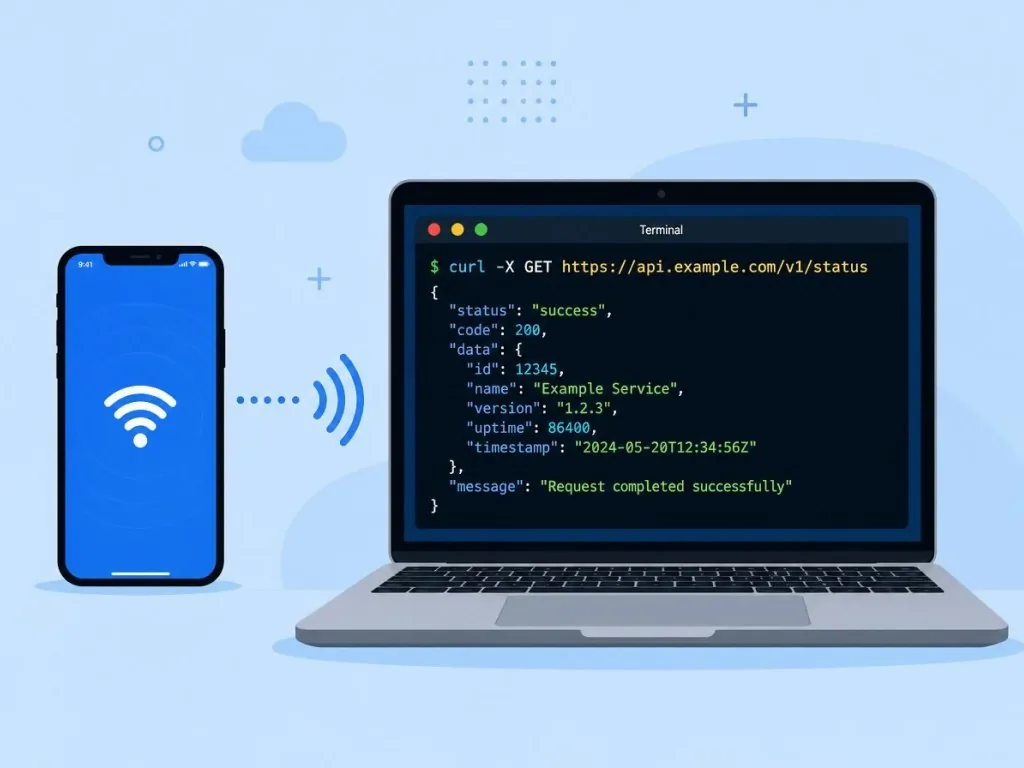
The project turns the iPhone into a local HTTP server, which means all computation runs on the A-series chip, and the Vision framework itself is heavily hardware-accelerated on iPhone. Pair it with iOS Guided Access to keep the screen awake, and a single device can serve requests reliably for a long time.
Compared with traditional setups, it delivers three distinct advantages:
- Zero cloud dependency: recognition is fully offline and sensitive images never leave the LAN, which lines up with GDPR / classified-protection style compliance requirements;
- No usage limits: unlike cloud vendors billing by call volume, you can call it unlimited times;
- Strong ecosystem compatibility: it returns standard JSON with standard coordinates, so it plugs into existing web, iOS, Android and Python backends without friction.
5. Use cases and who it fits
Case one: an internal OCR platform for the company. Finance, legal and admin teams process piles of paper scans every day and have strict data compliance requirements; with this project the data never leaves the corporate network.
Case two: a developer's local dev/debug environment. When building OCR-related features, uploading to the cloud on every debug run is slow and expensive; a local iPhone server runs with a few lines of curl.
Case three: offline batch processing in education and research. In classrooms or labs without reliable network access, plug the iPhone into power and it keeps providing recognition capacity.
Who it fits: iOS developers, indie developers, tech leads at small teams, and anyone sensitive about data privacy. Who it doesn't fit: people who need to recognize extremely long scroll documents (phone memory is limited) or highly complex layouts (such as vertical mixed-script classical texts) — those needs are still better served by professional cloud OCR.
6. Comparison with alternatives
| Option | Setup cost | Per-call cost | Data privacy | Offline capability |
|---|---|---|---|---|
| iOS-OCR-Server | Install an app | 0 | Data stays on the LAN | Fully offline |
| Baidu / Alibaba Cloud OCR | Sign up + auth | Billed per call | Uploaded to a third party | Requires network |
| Self-hosted PaddleOCR | Python + model + Docker | 0 | Local | Offline |
| Tesseract | CLI + training data | 0 | Local | Offline |
The biggest advantage of iOS-OCR-Server is "lowest deployment friction plus recognition quality that matches the cloud": Tesseract's accuracy is shaky, PaddleOCR is complex to deploy, and cloud OCR carries compliance risk — while this app works right after install and reuses Apple's Vision engine for accuracy outright.
7. How to get started fast
Step one: install the app. Search "OCR Server" in the App Store or use the download link in the project README, and install it on any iPhone (iOS 16+ is enough; you need iOS 26+ for docOCR).
Step two: turn on Guided Access. Go to Settings > Accessibility > Guided Access, enable it, then triple-click the side button in the app to lock the screen on and keep the service from being suspended.
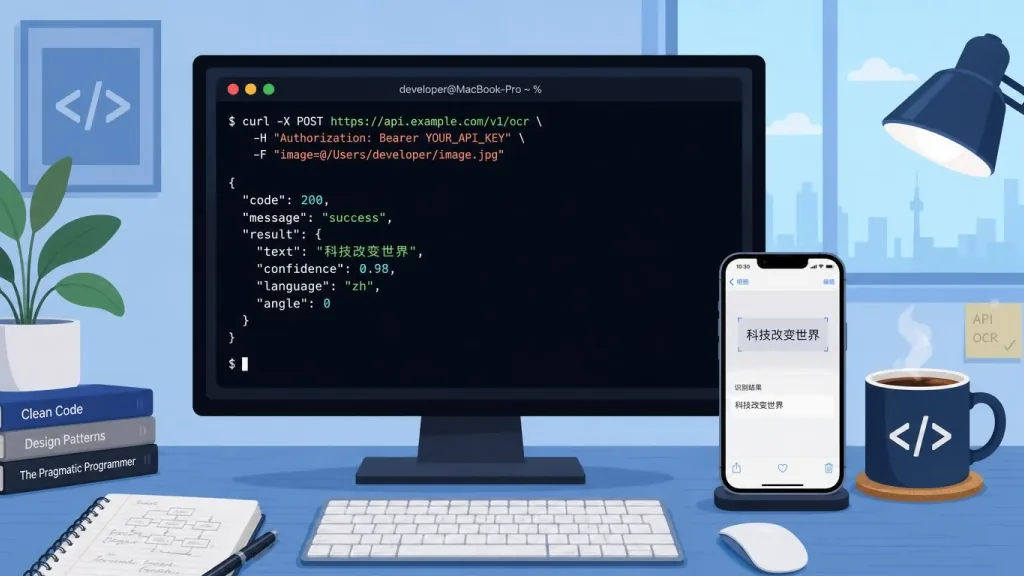
Step three: call the API. From a computer on the same WiFi:
curl -H "Accept: application/json" -X POST http://<YOUR_IP>:8000/upload -F "file=@01.png"
You get a JSON recognition result: ocr_result holds the merged text and the ocr_boxes array holds the exact coordinates of every text box.
Step four: visualize the boxes (advanced). The README includes a complete Python example that draws ocr_boxes back onto the original image with PIL + OpenCV — red boxes plus corner labels are very readable, and it runs as-is after copy-paste.
8. Summary and next steps
The core value of iOS-OCR-Server fits in one sentence: it moves the capability of a "cloud OCR service" into that old iPhone in your pocket, for free, with fully local data, zero operating cost and zero deployment friction.
If cloud OCR bills and compliance questions are bothering you, or you just want to add cheap local recognition to an existing iOS project, give it a try. App Store link: https://apps.apple.com/us/app/ocr-server/id6749533041, GitHub repo: https://github.com/riddleling/iOS-OCR-Server. More than two thousand stars have already done a round of screening for you.
#ios-ocr-server #IosOcrServer #riddleling #opensource #GitHub