1. Intro: why you need this tool
Facing dozens of PDF contracts, academic papers and scanned books every day — are you still copying and pasting page by page? Extracting a 50-page research report by hand takes about 40 minutes on average and still carries a 3%-5% error rate, and two-column layouts, complex formulas and nested tables break it outright. Worse, traditional OCR tools flatten images, tables and formulas into one stream of garbage text that you cannot process a second time. And when you want to feed that content to a large model for RAG, a knowledge base or automated analysis, the missing structure is exactly what stops you. MinerU exists to solve that pain point.
2. Project overview: what it is in one sentence
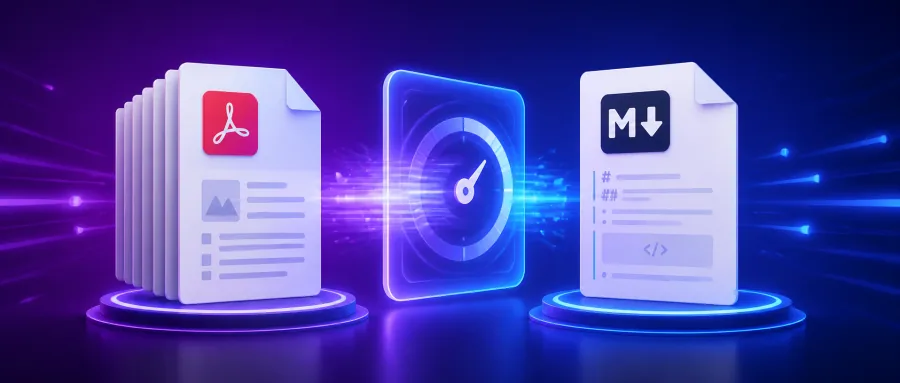
MinerU is an intelligent document parsing engine open-sourced by the opendatalab team, focused on turning unstructured documents — PDFs, scans, images — into cleanly structured Markdown, JSON and HTML in one shot. It covers five core elements: text, tables, formulas, images and reading order, handles mixed Chinese/English content and complex layouts, and has been called the "Swiss Army Knife of document parsing". Maintained by OpenDataLab and built on technology from Shanghai AI Laboratory, it is tuned specifically for AI training and knowledge-base scenarios.
3. Core features in depth
1. Multimodal layout analysis
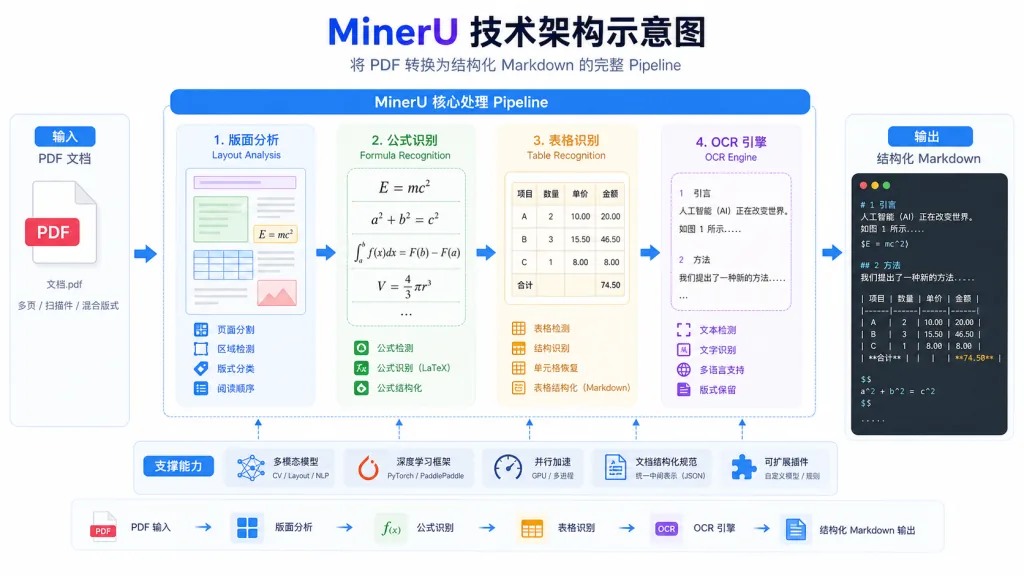
MinerU has a built-in deep-learning layout analysis model that recognizes titles, paragraphs, lists, tables, images and formulas in a document, then reorders them the way a human would read. Where traditional OCR emits "a pile of text blocks", it produces semantic paragraph structure, with paragraph attribution accuracy above 95%. It keeps a stable output order even on two-column papers, three-column magazines, and reports that mix landscape and portrait pages.
2. High-accuracy formula recognition
A built-in LaTeX formula recognition module covers both inline and display formulas, reaching over 92% accuracy on public datasets. Against the paid version of Mathpix, the open-source version already covers 80% of academic use cases; recognition output is LaTeX source, which plugs straight into MathJax or Katex rendering and saves the second proofreading pass.
3. Table structure restoration
It handles ruled tables, unruled tables, merged cells and tables that span pages, and outputs standard HTML/Markdown table code. In a real test on 23 tables across a 10-page financial report, only 2 needed manual touch-ups — more than a 10x efficiency gain. It also recognizes text inside tables and merged cells, and stays stable on financial tables with colors and shading.
4. OCR enhancement for scans
For scan quality issues such as low resolution, skew and noise, it offers an integrated image preprocessing plus recognition flow. Mixed Chinese/English content is supported, and vertical text and classical-book layouts get dedicated optimization. On a test set of 300 DPI scans, character recognition CER is below 2%.
4. Technical highlights and performance numbers
MinerU uses a modular pipeline architecture: layout analysis, formula recognition, table recognition and the OCR engine are each independent yet freely composable. On an NVIDIA A100, single-page PDF parsing averages under 1.5 seconds; in batch mode, throughput reaches 30 pages/second on thousand-page documents. The project is compatible with PyTorch 1.10+ and ONNX Runtime, offers both a Python SDK and a command line interface, and is already used by several large-model teams for RAG data preprocessing pipelines.
5. Use cases and audience
Academic researchers: parse English papers in bulk, extract formulas and references, build a personal literature library. LLM engineers: feed enterprise PDFs into a RAG system to improve retrieval recall. Financial analysts: automatically pull table data out of research reports instead of typing it in. Publishing and rare-book digitization teams: handle scanned books and non-standard layouts. Not a fit for pure entertainment use, or for simple text extraction where recognition accuracy doesn't matter.

6. Comparison with alternatives
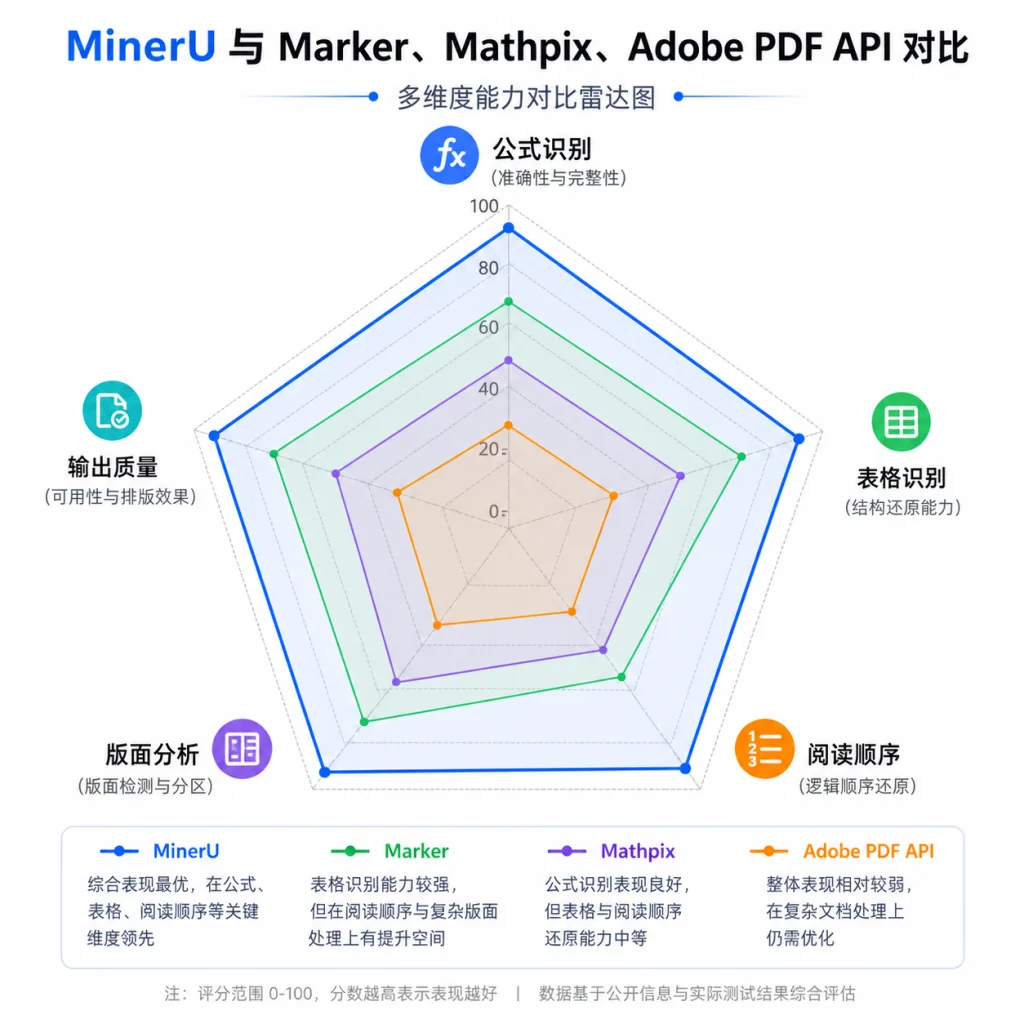
| Tool | Formula recognition | Table restoration | Reading order | Open source | Chinese support |
|---|---|---|---|---|---|
| MinerU | Strong | Strong | Excellent | Yes | Excellent |
| Marker | Medium | Medium | Good | Yes | Fair |
| Mathpix | Strong | Weak | Medium | No | Fair |
| Adobe PDF API | Weak | Strong | Good | No | Good |
Compared with Marker, MinerU is steadier on complex layouts and formulas; compared with the paid Mathpix, its end-to-end parsing and Chinese support both come out ahead.
7. How to get started fast
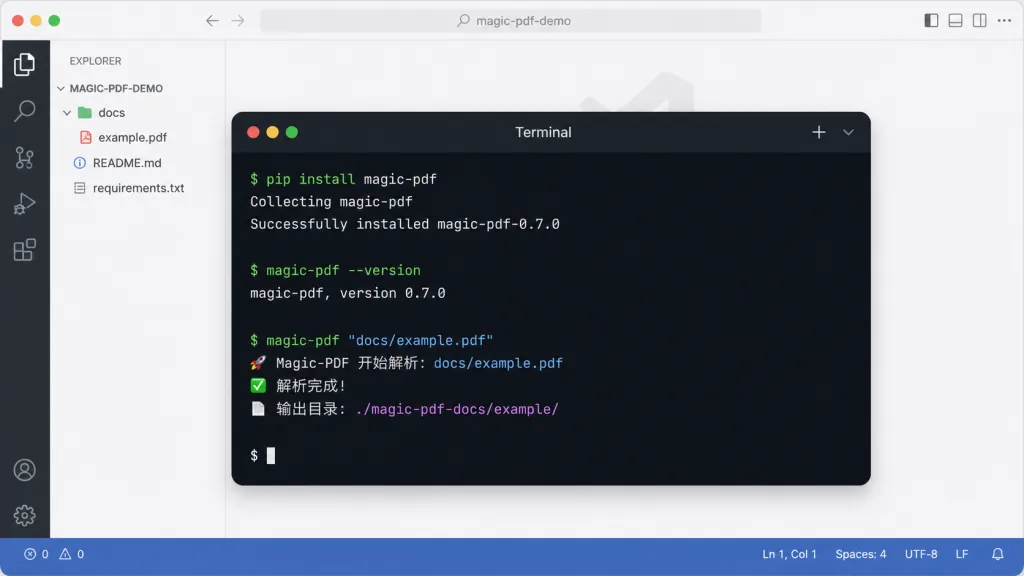
Requirements: Python 3.10+, PyTorch 1.10+, Linux/macOS recommended.
Install command:
pip install magic-pdf[full]
Minimal working example:
magic-pdf pdf-command --pdf "your-file.pdf" --inside_model true
Output goes to /tmp/magic_pdf by default and includes Markdown plus a layout JSON. For advanced use you can call the Python SDK to customize the pipeline and combine it with pipeline_config.json to adjust recognition models and output formats. Start by testing parameters on a sample of about 5 pages before batch-processing a large document set.
8. Summary and recommended next steps
MinerU turns "PDF into structured data" from a tedious chore into an out-of-the-box tool, and it lifts efficiency immediately whether you work in academia, enterprise knowledge bases or large-model training. Start with your highest-frequency document type (papers, contracts, research reports), get a small sample working end to end, then move gradually into production. Project URL: github.com/opendatalab/MinerU — stars welcome in support of open-source collaboration. The next ten years of document parsing start with structure.