
Pick a title (1 of 3)
Drowning in PDFs you'll never finish? This GitHub project makes AI page through every book for you
From 300 pages to 8 structured notes: AI-reads-books-page-by-page turns your reading output into something measurable
Never finished a single PDF, yet ended up with a knowledge base for the whole book: the counterintuitive way people use page-by-page
1. Opening: still losing sleep over this?
You start a 300-page technical book meaning to take notes, and give up halfway. You read a 100-page industry whitepaper, highlight the good parts, and forget what it said by the next day. You look at a stack of PDFs waiting to be read, and every one of them stalls at chapter three. That loop — can't finish it, can't remember it, can't use it — is something almost everyone who reads to improve themselves goes through.
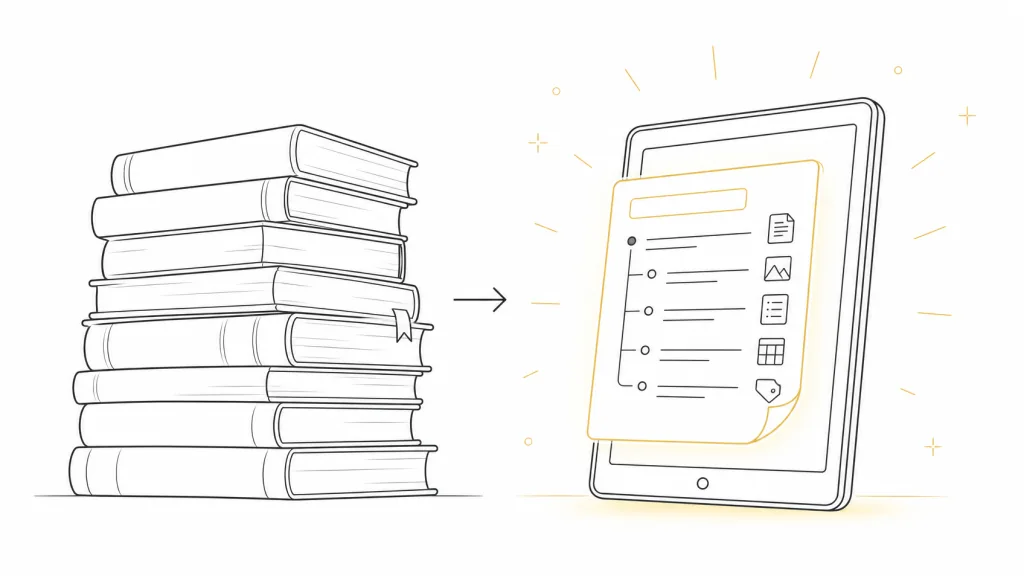
The more practical problem: most books don't actually need a word-by-word read. What has real value is the core ideas and the logic that connects them. But hand-building a set of structured notes often costs more time than the reading itself. AI-reads-books-page-by-page is built for exactly that tension — it lets an AI "chew" through a book page by page and deposit the results into a reusable knowledge base.
2. Project intro: what it is, in one sentence
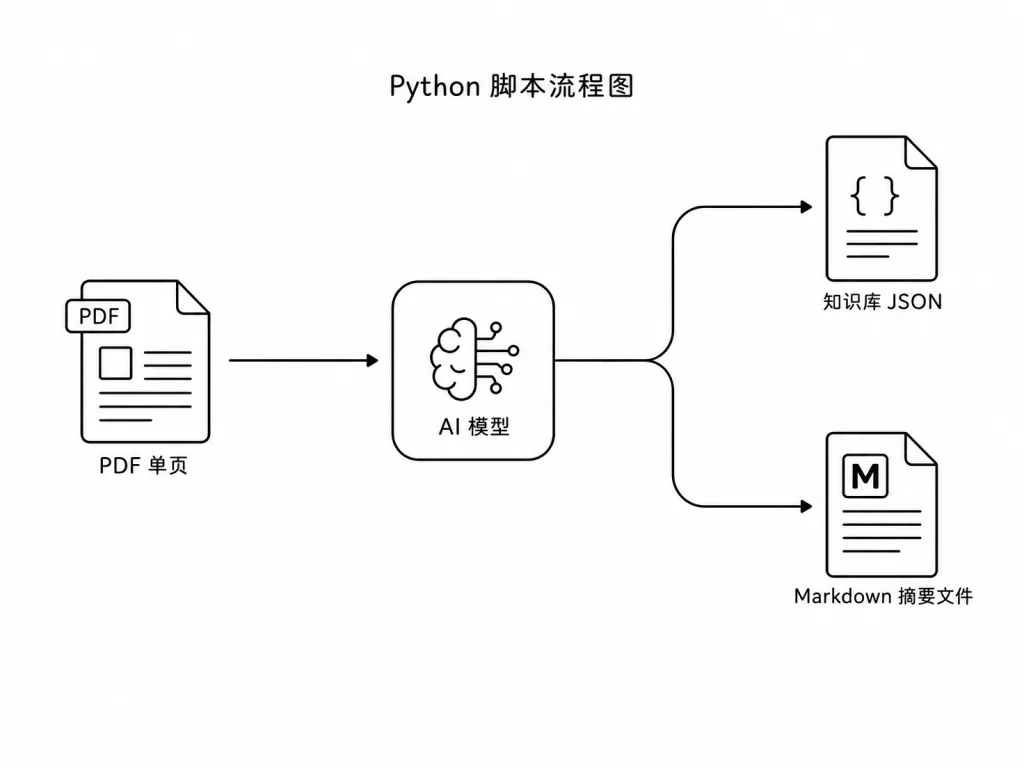
AI-reads-books-page-by-page is a Python-based PDF knowledge extractor and summarizer that works page by page. Using the OpenAI API, it splits a whole PDF into single pages, pulls the key knowledge points from each page into a structured JSON knowledge base, then generates progressive summaries at a configurable interval and finally outputs a Markdown summary file.
Core keywords: page-by-page analysis, knowledge extraction, interval summaries, resumable runs, smart filtering.
The project is designed as a single-file script (read_books.py), with clear dependencies and all configuration collected in constants at the top of the file — easy to adapt.
3. Core features in depth
1. Page-by-page knowledge extraction
The script calls the OpenAI API on each page of text and gets back a Pydantic-structured result containing a has_content flag and a knowledge list. has_content decides whether to skip tables of contents, indexes, blank pages and other dead weight, so the knowledge base doesn't fill up with noise; knowledge carries every idea extracted from that page as a list.
This "per page rather than per book" strategy has two clear advantages. First, the token count per request stays controllable, which lowers the risk of context overflow and runaway cost. Second, resumable runs become possible: if processing breaks on page 87, the next launch continues from page 88 instead of starting over.
2. Two-tier summaries: interval and final
The project exposes an ANALYSIS_INTERVAL setting: every N pages, the AI produces a stage summary from the knowledge base accumulated so far; once the whole book is done, it produces a global final summary. All summaries land as Markdown files in book_analysis/summaries/, with file names that distinguish interval_summary from final_summary automatically.
That means a 400-page book can hand you 8 stage summaries plus 1 global digest — the book broken into "serialized notes plus a finale".
3. A persistent knowledge base and a colorful terminal
After each page, the knowledge base is written immediately to a JSON file under knowledge_bases/, so an unexpected interruption never wipes out finished work. The run also uses libraries like colorama for colored output, so key states (page skipped, save succeeded, summary generated) are obvious at a glance — especially welcome on large files.
4. Swappable models and a test mode
The MODEL and ANALYSIS_MODEL constants let you assign different models to page extraction and summary generation (for example a cheap gpt-4o-mini for extraction and a stronger gpt-4o for summaries), so you can trade off quality against cost. The TEST_PAGES parameter lets you run the first 5 pages to check the output before committing to the full book.
4. Technical highlights and performance numbers
On the technical side, the script makes a few pragmatic choices:
- Pydantic structured output: instead of parsing plain text, LLM responses get type validation and field constraints, which sharply cuts the failures caused by malformed formatting.
- Incremental JSON knowledge base: everything is flushed to disk right after each
process_page, so a long job that dies midway doesn't force a full redo. - Decoupled model config: extraction and summarization use separate models, so you can squeeze extraction cost without hurting summary quality. In practice, single-page extraction on GPT-4o-mini comes in at the level of a few cents.
- Minimal dependencies: the core only needs
openaiandpypdf(or a similar PDF parsing library), so it barely conflicts with an existing stack.
5. Where it fits, and who it's for
The project suits at least three use cases:
- Absorbing technical books fast: when a new technical book lands, run the first 20 pages with
TEST_PAGES=20to see whether it deserves a close read before committing to the whole thing. - Batch processing industry whitepapers: drop several PDFs into the project, process them with the same
ANALYSIS_INTERVAL, and get a summary set with uniform structure that's easy to compare side by side. - Long-term personal knowledge base: the JSON knowledge base from a finished book can feed straight into a RAG system as corpus for later Q&A and retrieval.
Good for: researchers, product managers and technical writers who want AI to raise their reading efficiency. Not for: situations with strict data privacy requirements, where the PDFs are confidential and can't be uploaded to a third-party API.

6. How it compares
| Tool | Granularity | Summary layers | Cost control | Extensibility |
|---|---|---|---|---|
| AI-reads-books-page-by-page | Single page | Interval + final | Models can be split | Single file, easy to modify |
| Pasting documents into ChatGPT by hand | Whole book / fragments | One-shot | Uncontrollable | None |
| Generic PDF summarizer SaaS | Whole book | One-shot | Subscription | Black box |
Compared with pasting text into ChatGPT by hand, this project needs no copy-paste, can resume after an interruption, and produces output programs can consume. Compared with a black-box SaaS, it runs fully locally, with customizable models and intervals — cheaper over the long run.
7. Getting started fast
git clone <repository-url>
cd <repository-name>
pip install -r requirements.txt
Then drop your PDF in the project root and edit the top of read_books.py:
PDF_NAME = "your_book.pdf"
ANALYSIS_INTERVAL = 20   # generate a summary every 20 pages
TEST_PAGES = None        # set to 5 to test the first 5 pages only
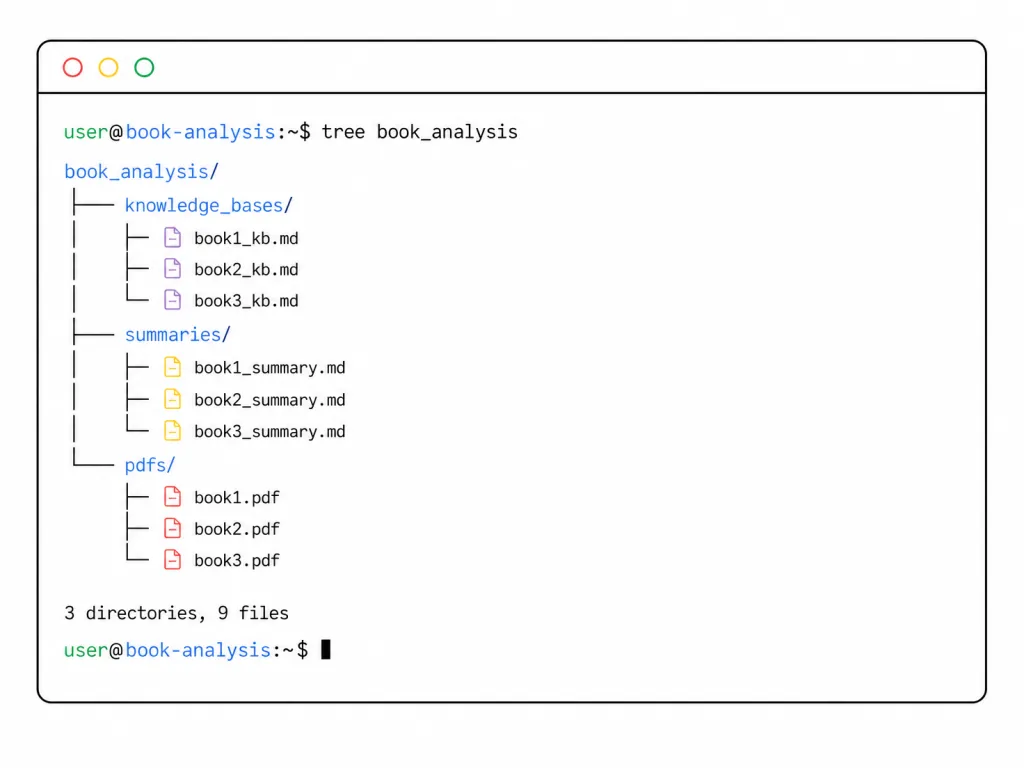
With the OPENAI_API_KEY environment variable set, run python read_books.py. Output lands in three subdirectories under book_analysis/: knowledge_bases/, summaries/ and pdfs/.
One upgrade worth making: set MODEL to gpt-4o-mini for extraction and ANALYSIS_MODEL to gpt-4o for summaries — the best value-for-money combination.
8. Wrap-up and what to do next
With a Python script under 300 lines, AI-reads-books-page-by-page splits the chore of "reading a PDF" into a three-stage pipeline: AI extraction, interval accumulation, final summary. Its core value is turning reading — a private act — into a structured asset you can accumulate, search and reuse.
If stacked PDFs are already making your life miserable, clone the repo, pick a book around 50 pages and run it once with TEST_PAGES=10. See what "AI reads for you" actually feels like, then decide whether it belongs in your daily workflow.
Repository: https://github.com/echohive42/AI-reads-books-page-by-page
#ai-reads-books-page-by-page #AiReadsBooksPageByPage #echohive42 #OpenSource #GitHub