
Title options (pick 1 of 3)
Still copying layouts by hand for WeChat? This tool turns someone else's formatting into a template in one click
Drop in a WeChat article link, get a reusable rich-text template in 5 minutes
No design software installed — he cloned a viral layout with a 154-star open source tool
1. Opening: for WeChat publishers, copying a layout alone can keep you up past midnight
Anyone who runs a WeChat Official Account knows the real pain isn't the writing, it's matching the layout. You see an article with explosive readership and want to study its visual style. You copy it into the editor by hand, and the heading sizes change, the line spacing collapses, the colors are gone, the card background images turn grey... You finally settle on a template, and the next article means starting over.
As for the style-extraction need itself, the scattered tools around either only screenshot and analyze colors without giving you a reusable layout structure, or hand you a vague "style reference" that you still have to rebuild by hand, piece by piece. A tool that could turn someone else's layout into your own editable template in one click has been missing for a long time.
WeChat Style Extractor targets exactly that gap: drop in a WeChat article link and it automatically emits visual parameters plus pasteable rich text.

2. Project overview: turning a link into a table of layout parameters
WeChat Style Extractor is a WeChat style extraction tool built with TypeScript. Its goal is to pull a layout you like completely out of an existing WeChat article and deliver a rich-text template you can preview in the browser and paste straight into the WeChat editor.
Four core keywords: link parsing, style normalization, rich-text copying, mobile preview. The GitHub repository currently has 154 stars, and you only need Node.js 22.13+ to run it locally.
3. Core features in depth
1. Fully automatic style capture and statistics
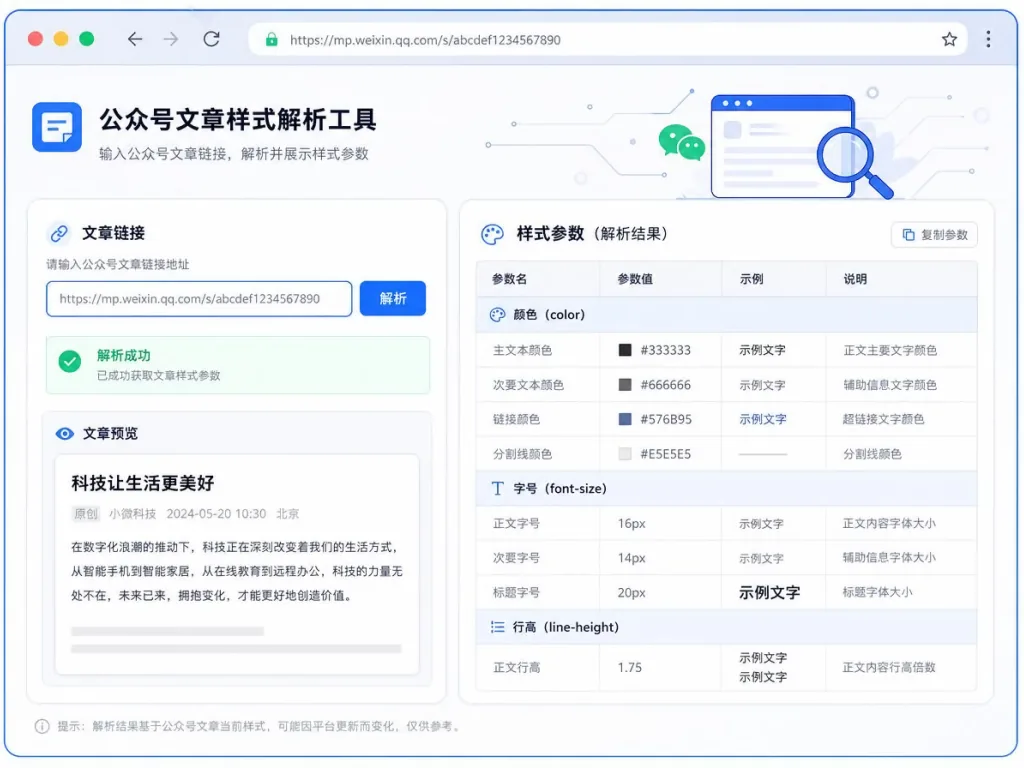
The server-side fetching flow only works for the https://mp.weixin.qq.com domain, and it restricts redirect domains, response size and read time. Once it has the HTML, it moves into cleaning and style normalization: heuristics identify heading levels, body color, font size, line height, margins and padding, and inline styles are handled together with <style> sheets while key layout instructions — grid, positioning, shadows, lists, tables — are preserved.
Fields it can't identify are not forced to a default value. They are simply left out, so the author isn't misled.
2. One-click rich-text copy into the WeChat editor
Once the style parameters are extracted, the page generates a "rich-text version" that supports one-click copying into the WeChat backend editor. This process keeps the body images, lazily loaded images and CSS background images inside cards from the original article. Combined with automatic inlining of stylesheets, it ensures styles don't vanish the moment you paste.
Note: because of limitations in the WeChat editor itself, inline styles are sometimes partially stripped. The preview WeChat Style Extractor provides tries to reproduce the original layout as closely as possible, so authors get an accurate expectation.
3. Mobile WeChat reader preview
The tool includes a mobile preview window for WeChat articles: style parameters, card components and mixed text-and-image layouts all render the way they do on a phone. No more switching back and forth between phone and desktop to test font sizes and line heights.
4. Safety boundaries and failure messages
For safety, the parsing endpoint always hits the official WeChat domain, with hard limits on response size and read time. When WeChat occasionally triggers a security verification page for server access, the tool explicitly says "please try again later" instead of silently returning empty data. That "explicit failure" design is very friendly to content operators.
4. Technical highlights and performance data
- Type safety: written entirely in TypeScript, with unit tests (
npm test), so refactoring is easy. - Build pipeline:
npm run devfor development andnpm run buildfor production builds — the bar for frontend contributors is very low. - Hosting decoupled from source: the GitHub source repository and the demo-site hosting repository are independent, and every release creates a
backup/pre-upgrade-<date>tag onmainso you can always roll back. - Style normalization algorithm: instead of the heavy "screenshot + OCR" approach, it parses HTML and CSS directly and keeps high-fidelity information such as grid, positioning and shadows.
5. Use cases and audience
- WeChat content operators: when chasing a trend, reuse another account's visual template quickly without picking out styles by hand every time.
- New media editing teams: when building a brand matrix, unify the visual language by "stripping" a reference article and turning it into internal layout guidelines.
- Independent creators: study the colors and type scale of viral articles and build a style library of your own from the data.
Not a fit for: people who want a 100% pixel-perfect reproduction of the original article. The WeChat editor applies a second round of filtering to some inline styles; the tool gives a high-fidelity preview but can't bypass the editor's own rendering rules.

6. How it compares
| Dimension | WeChat Style Extractor | Generic style sniffers | Screenshot-based references |
|---|---|---|---|
| Input | A WeChat article link | Any web page HTML | Screenshots only |
| Output | Copyable rich text + parameter table | Stylesheet fragments | Static images |
| Original images / card backgrounds kept | Yes | Usually not | No |
| Mobile preview | Built in | Usually none | None |
| Failure reporting | Explicit | Silent failure | Not applicable |
WeChat Style Extractor folds "parse + preview + copy" into a single-page tool, which fits the WeChat scenario better than generic solutions.
7. How to get started quickly
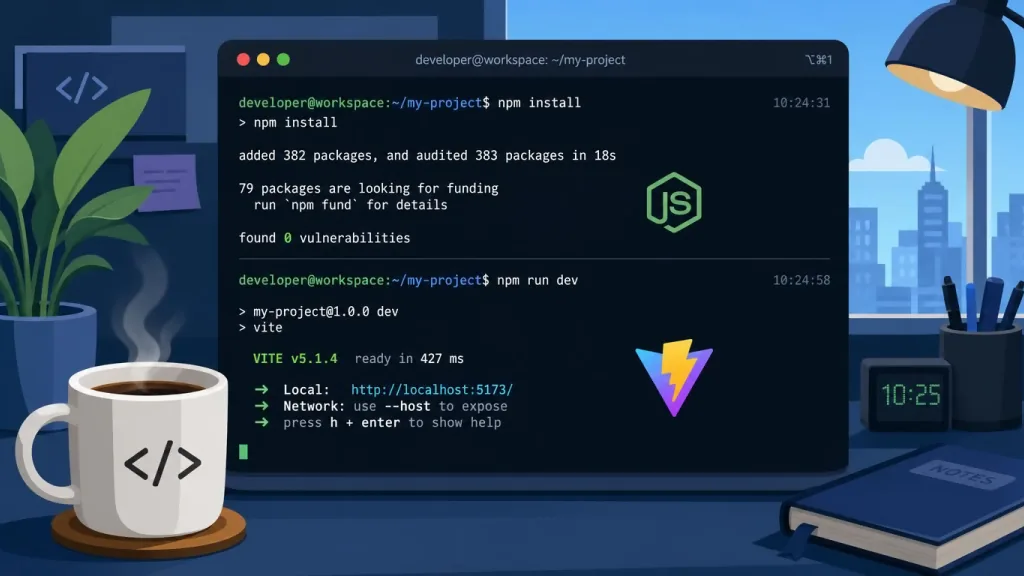
Requirements: Node.js 22.13 or newer.
git clone <repo>
npm install
npm run dev
After startup, visit the local port and paste a public WeChat article link to enter the parsing flow. Next step: use the backup/pre-upgrade-<date> tags to rehearse a demo-site rollback, so a bad release can't leave you stuck.
8. Summary and next steps
WeChat Style Extractor turns the dirty work of "stripping styles" — a core chore of content operations — into a reusable tool with a clear input, a clear output and clear boundaries. It is deeply optimized for the WeChat link scenario, and every step from fetching and cleaning to normalization and rich-text copying comes with an explanation of its tradeoffs. It never hides its limits just to look more powerful.
Suggestion: start with a viral article whose readership is consistently high, check whether the heading sizes, line spacing and colors it identifies match what your eyes see, then work it into your team's layout workflow.
Demo: https://wechat-style-extractor.godkey810.chatgpt.site/ GitHub repository: sennkuwu/wechat-style-extractor
Next time you want to "borrow" someone's layout, let WeChat Style Extractor run first — by the time you finish a coffee, the template is already on your clipboard.
#wechat-style-extractor #WechatStyleExtractor #sennkuwu #LLM #RAG #OpenSource #GitHub