Title options (pick 1 of 3)
Windows desktop driving you nuts? Seelen UI replaces the whole thing
Seelen UI at 17.9K stars: turn the Windows desktop into a programmable workbench
A macOS-grade desktop without switching OS: what makes Seelen UI work
Seelen UI: reshape the Windows desktop into what you actually want
1. Intro: stop fighting it by hand
Every Windows developer has had this moment: staring at the crowded system tray in the lower right, wanting to tile three windows side by side but only being able to drag them manually, hunting through the start menu for an app. Windows 11 has shipped revision after revision, and the taskbar, start menu and virtual desktops still bounce between "usable" and "actually good". As of early 2026, the open-source project Seelen UI — marked by 17.9K stars — offers a different answer: replace the entire Windows desktop environment outright.
2. Project overview: what it is in one sentence
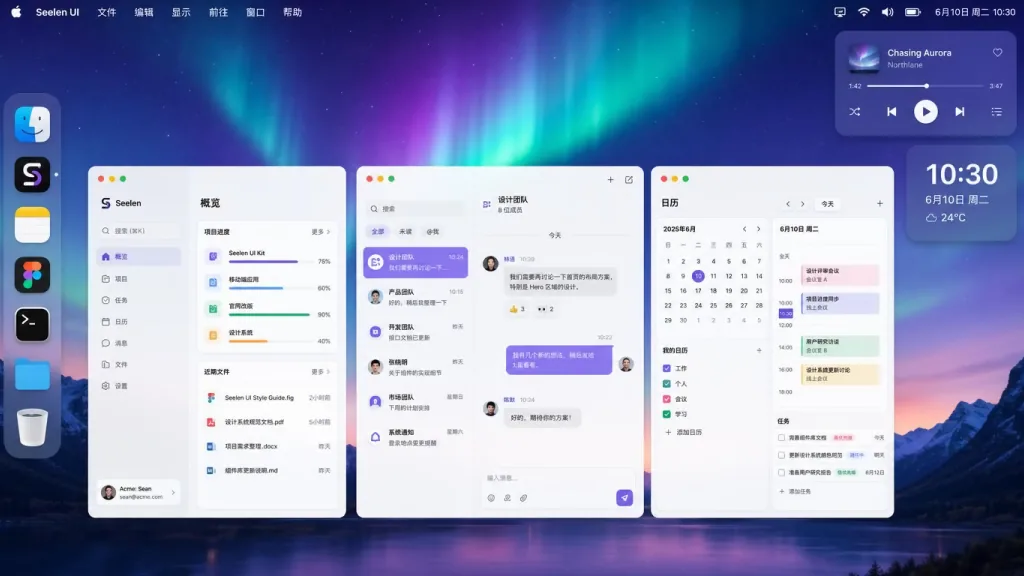
Seelen UI is a complete replacement for the Windows desktop environment, written in Rust. It's not a theme pack and not a cosmetic patch — it reimplements every everyday interaction component: taskbar, Dock, app launcher, window manager, notification popups, virtual desktops. It supports 70+ languages, ships a CSS/JSON theme engine and a plugin Widget system, is listed on the Microsoft Store and Winget, and also offers signed installers on GitHub Releases.
3. Core features in depth
1. Tiling window manager
Seelen UI's built-in tiling window manager supports BSP, column layouts, stacking and more automatic arrangement algorithms, with configurable inner and outer gaps between windows. Everything can be done from the keyboard: resize, swap positions, move focus — your hands never have to leave the keys. Windows' native Snap assistant can only split in halves or quarters; Seelen UI's advantage is that layouts are programmable and repeatable, which is especially friendly for coding and multi-window debugging.
2. Dynamic accent color and a CSS/JSON theme engine
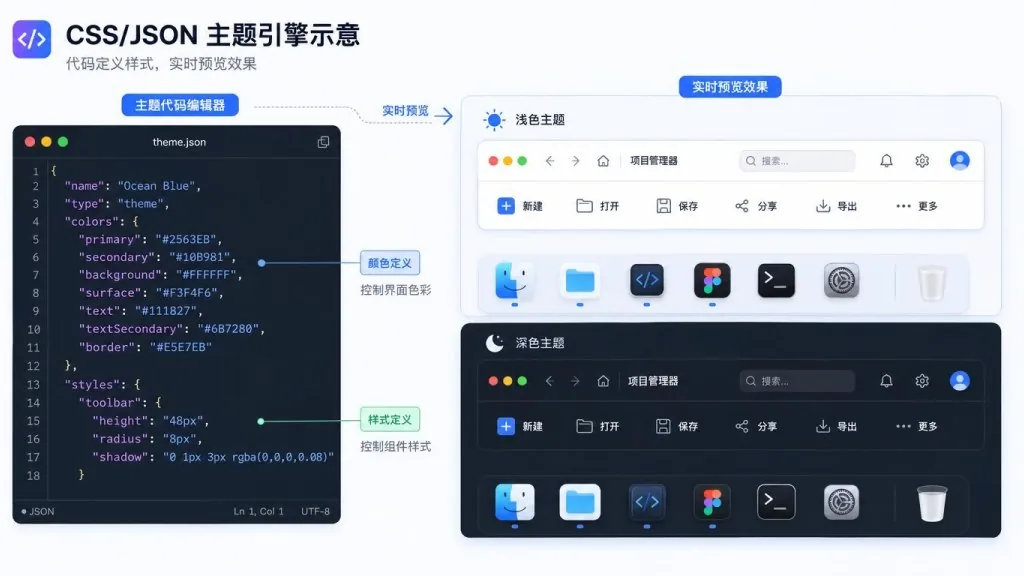
Seelen UI analyzes the current wallpaper in real time and extracts a harmonious accent color that it applies to every shell element — no picking colors by hand, and the desktop palette always matches the wallpaper. Themes themselves are described with scoped CSS plus JSON config, so fonts, borders, animations and colors are all editable. Community themes install directly, each Widget can carry its own styles, and dark/light mode switching is covered automatically.
3. App launcher and media controls
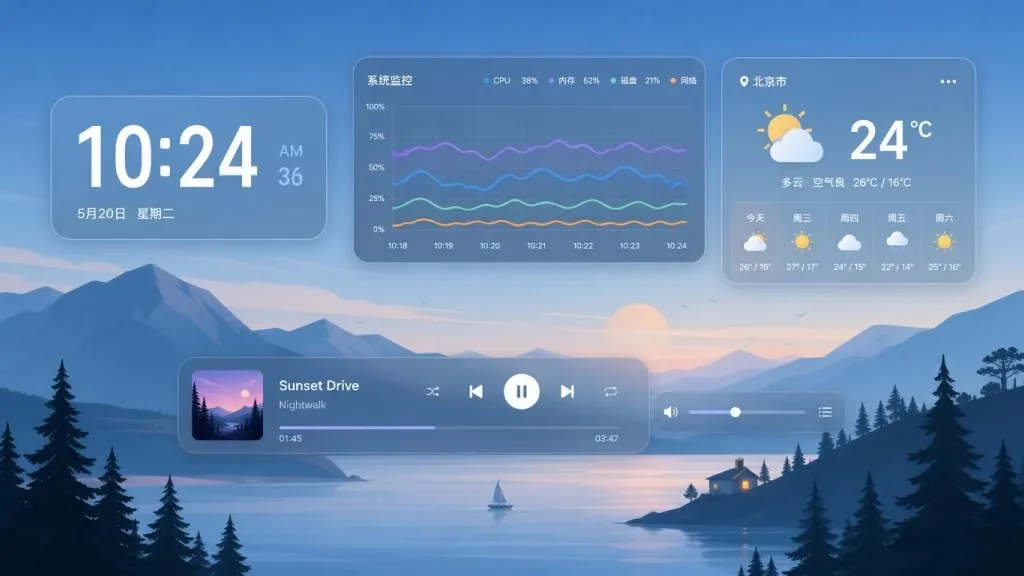
The launcher follows Rofi's keyboard-driven design: fuzzy search hits apps, files, shell commands and custom scripts in milliseconds. The media control module is compatible with nearly every mainstream player — play, pause, skip tracks, scrub the progress bar from the toolbar or a standalone Widget, so you don't have to switch windows while watching or listening.
4. Virtual desktops and the Widget desktop layer
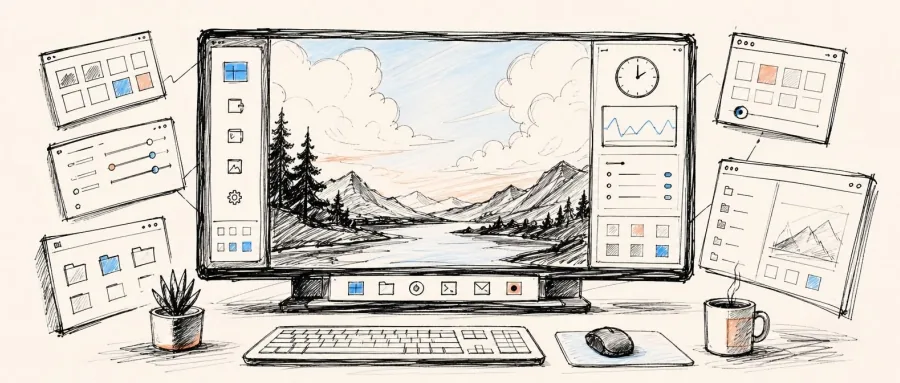
Virtual desktops support custom names, per-desktop wallpapers and smooth transition animations, and you can write rules to pin specific apps to a given workspace. Widgets can sit directly on the wallpaper layer — clock, system monitor, media controls, weather, custom panels are all draggable, and every Widget picks up the theme's colors automatically.
4. Technical highlights and performance numbers
Seelen UI writes its core in Rust and renders the UI layer through WebView2, keeping startup time and memory usage under control. The Widget SDK lets developers build custom components with Svelte + TypeScript and access system state through a full IPC channel — which means the ecosystem can grow on its own. All configuration is stored as plain files, so you can drop it into Git for version control or sync it across machines. Installers are code-signed and distributed through three channels — the Microsoft Store, Winget (winget install --id Seelen.SeelenUI) and GitHub Releases — so enterprises and individuals can each pick the update path that suits them.
5. Use cases and who it's for
Seelen UI suits at least three kinds of people. First, full-stack developers who switch between windows all day: a tiling window manager plus keyboard flow saves a lot of dragging. Second, designers and content creators who care deeply about desktop consistency: dynamic accent colors plus the Widget desktop layer make for a workbench that feels like a magazine spread. Third, engineers who are used to the Linux/macOS desktop experience but have to stay in the Windows ecosystem: Dock, launcher and virtual desktop rules together reproduce macOS habits. It's a poor fit for plain office users, centrally managed corporate environments, and users who depend on native Windows accessibility features.

6. Comparison with alternatives
| Project | Seelen UI | Rainmeter | PowerToys | Native Windows |
|---|---|---|---|---|
| Replace taskbar/Dock | ✔ Full replacement | ✘ Skinning only | ✘ Enhances, doesn't replace | — |
| Tiling window management | ✔ Built in | ✘ None | ✘ FancyZones is limited | ✘ Snap quarters |
| CSS/JSON themes | ✔ Full engine | ✘ Mostly skins | ✘ None | ✘ None |
| Custom Widgets | ✔ SDK + IPC | ✔ Third-party | ✘ None | ✘ None |
| Virtual desktop upgrades | ✔ Naming + wallpaper + rules | ✘ None | ✘ None | ✔ Basic only |
| Keyboard first | ✔ Everything | ✘ Partial | ✔ Partial | ✘ |
Compared with Rainmeter's "desktop stickers" positioning and PowerToys' "system feature patches" positioning, Seelen UI is a genuine Windows implementation of the Linux desktop environment approach you'd find in AwesomeWM or Hyprland.

7. How to get started fast
Installing on Windows 11 is easiest: search for Seelen UI in the Microsoft Store and install — it follows system updates automatically. If you live in a terminal, run winget install --id Seelen.SeelenUI. If you want new builds the moment they land, grab the signed .exe or .msix from the GitHub Releases page. Windows 10 users should install Microsoft Edge and the WebView runtime beforehand; the setup.exe installer already bundles WebView. After installing, use the setup wizard to enable the toolbar, Dock, tiling manager and Widgets one by one, then dig into the official docs and the Discord community to configure themes and workspace rules.

8. Takeaways and next steps
With one open-source Rust project, Seelen UI moves the Windows desktop from "system components that work" up to "a programmable work environment" — tiling layouts, dynamic themes, a keyboard launcher, a Widget desktop layer and a built-in SDK, each one aimed straight at a native Windows pain point. If you jump between a dozen windows every day and don't want to switch to Linux just to get a decent desktop, give Seelen UI a try: start by enabling the taskbar replacement and the tiling manager, and tune it into the shape you want step by step.
- GitHub repo: https://github.com/eythaann/seelen-ui
- Official docs: https://seelen.io/apps/seelen-ui
- Discord community: https://discord.seelen.io
#seelen-ui #SeelenUi #eythaann #FrontendDev #WebDev #OpenSource #GitHub